Keycloak organization login vs Auth0 and WorkOS

Keycloak organization login can replace the tenant-aware login that Auth0 Organizations and WorkOS sell to B2B SaaS platforms. With the open-source Phase Two Keycloak organizations extension, your app asks for a tenant with account_hint=globex, and Keycloak lets the user in only if they are a member of Globex or hold an invitation to it. The rule holds whether they sign in with a password, with Google, through their company's SSO, or through an external identity provider.
We tested four cases on Phase Two Keycloak, in a real browser: the tenant hint across every login method, a contractor who switches tenants, an external IdP with kc_idp_hint, and every way a user gets refused. The screenshots and the video come from that run.
What is tenant-aware login?
Tenant-aware login means the identity provider knows which customer organization a user is signing in to, not only who the user is. It refuses users who do not belong to that organization and puts the organization in the token, so the application never has to guess. In Keycloak the decision is made by the Select Organization step (ext-select-org) in the login flow, and the result is added to the token by the Active Organization mapper.
| Use case | Auth0 Organizations | WorkOS | Keycloak + Phase Two |
|---|---|---|---|
| App names the tenant at login | organization parameter | organization_id | account_hint |
| Invited users get in on first sign-in | Invitations | Invitations | Invitations, accepted during sign-in |
| User picks or switches tenant | Organization picker (first 20) | Hosted picker, refresh-token switch | Picker, account_hint on the session, switch API |
| External IdP plus tenant | Connection per organization | Connection per organization | kc_idp_hint plus account_hint |
The test platform
ShopHost is a Shopify-style platform where every store is an organization: Globex, Initech and Acme. Store staff sign in four ways: a ShopHost password, Google, their own company's SSO (routed by email domain), or a partner's identity provider. The store admin app always sends the store it is opening as account_hint. The rule we enforce: you get in only if you are a member of that store or have a pending invitation to it.
Use case 1: can the app open one store, whatever the login method?
The app builds an ordinary authorization request with the store in account_hint:
https://auth.shophost.example/realms/shophost/protocol/openid-connect/auth?client_id=store-admin&response_type=code&scope=openid&redirect_uri=https://admin.shophost.example/callback&account_hint=globex
Every login path ends in the same two steps. Auto Join Invitations (ext-inv-auto-join) turns a pending invitation into a membership, then Select Organization checks membership in the store named by account_hint. Here is what happened for each kind of user:
| User | Signs in with | Result |
|---|---|---|
| Globex member | Password | In, active organization globex |
| Invited to Globex, not yet a member | Password | In; the invitation is accepted and removed |
| Neither member nor invited | Password | Refused: "Invalid Organization." |
| Invited to Globex | In | |
| Not invited | Refused | |
| Globex employee | Globex's company SSO | In; joined Globex on first sign-in |
| Acme employee | Acme's company SSO | Refused for Globex |
Use case 1 in 40 seconds: four users get into the Globex store with a password, an invitation, Google and company SSO; two strangers are refused.
Use case 2: how does a contractor switch between stores?
Carl, a contractor, works for Globex and Initech. When the app sends prompt=select_account, the standard OpenID Connect value, he sees the stores he belongs to and picks one. There is no cap on the list.
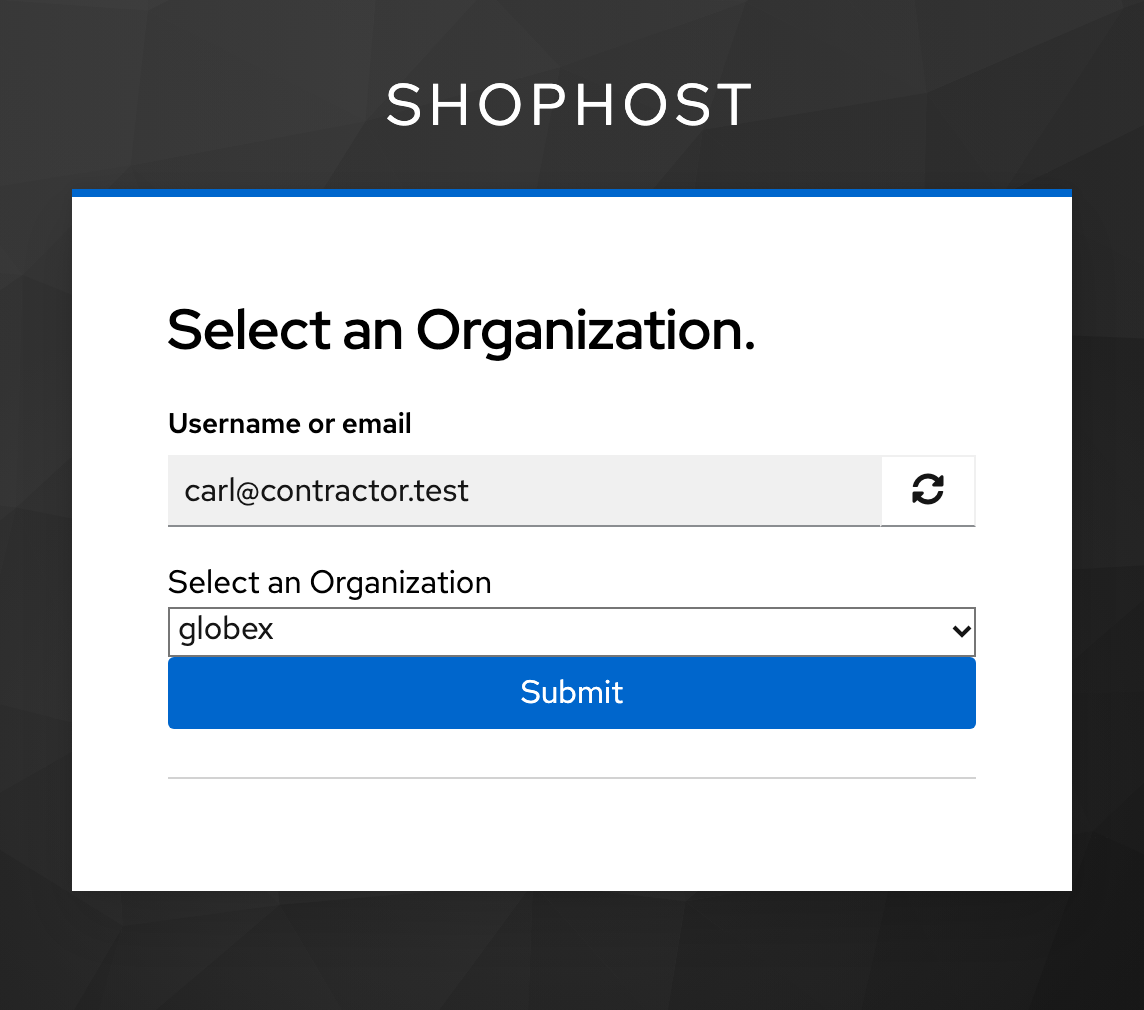
He can then switch three ways, none of which asks for his password again:
- the app sends a new request with
account_hint=initechon his existing session, - the app sends
prompt=select_accountand the picker appears again, - the app calls the switch active organization endpoint, which returns new tokens.
Asking for a store he is not in fails both ways: account_hint=acme shows "Invalid Organization.", and the switch API returns 401. The token carries the store's id, name, his roles in that store and its attributes.
Use case 3: does kc_idp_hint with account_hint work?
Yes. A partner portal can send the user straight to its own identity provider and name the store in the same request:
...&kc_idp_hint=partner&account_hint=globex
The user skips the Keycloak login page, signs in at the partner IdP, and the check runs in that IdP's post-broker flow when they come back.
| Partner user | Asks for | Result |
|---|---|---|
| Member of Globex | globex | In |
| Not a member of Globex | globex | Refused |
| Member of Globex | initech | Refused |
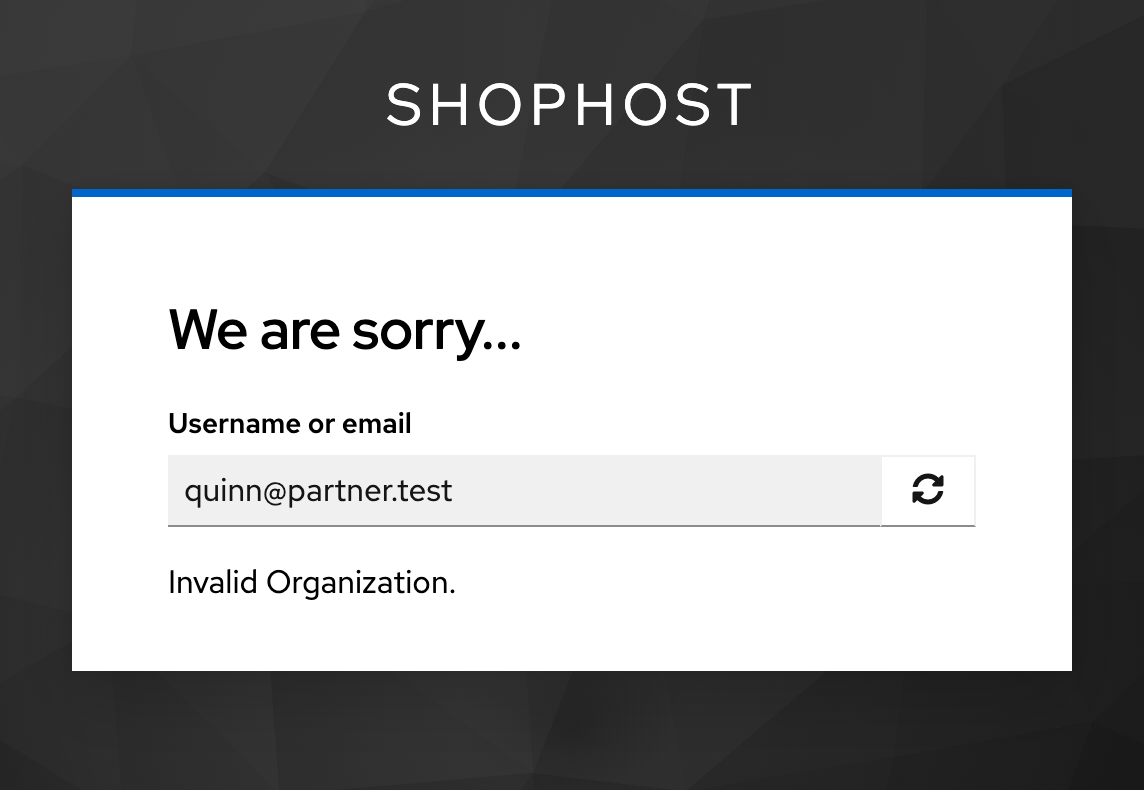
Use case 4: what happens when a user is refused?
Keycloak stops the login and shows its error page. The app gets no callback and no token. Two messages cover every case we ran:
| Why | Message |
|---|---|
Not a member of the store named in account_hint, and not invited | "Invalid Organization." |
The store in account_hint does not exist | "Invalid Organization." |
| No store at all, and the app asked the user to pick | "You are not part of any organization, Contact an Administrator." |
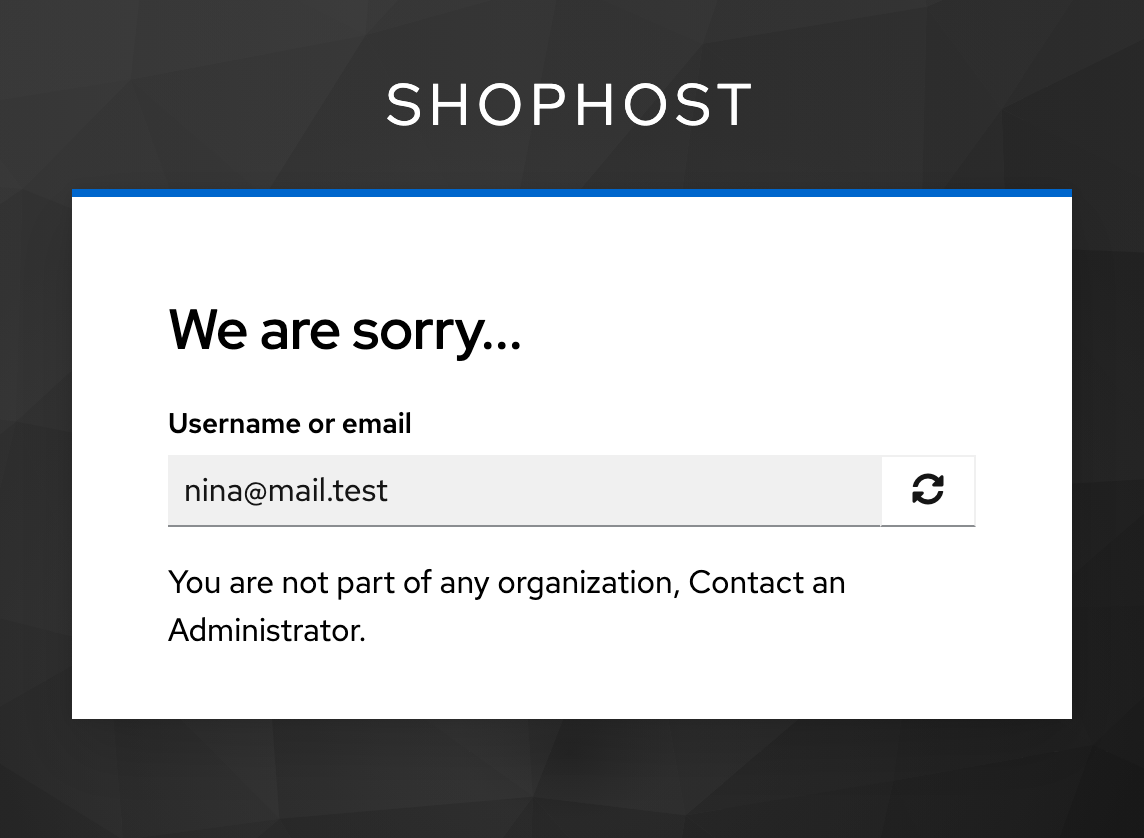
What we checked after every refusal:
- No session is left behind. The next attempt starts again at the login form.
- An external account can still be created. A Google or partner user who is refused already passed first broker login, so a Keycloak account exists for them. It simply belongs to no store.
- The wording is yours. Both messages come from the theme keys
invalidOrganizationErrorandnoOrganizationError, so a login theme can say "Ask your store owner for an invitation" instead.
What do you have to get right?
The hosted vendors enforce this once an application is configured for it. In Keycloak you assemble the flow, so the check exists only where you put it.
- Accept invitations before the check. Put Auto Join Invitations before Select Organization in the browser flow and in every identity provider's post-broker flow. It matches invitations by email, so use it only with identity providers whose email you trust.
- Give every identity provider a post-broker flow with Select Organization. That includes company SSO linked to an organization: the link defaults to a post-broker flow that adds the user to the organization but never checks
account_hint. In our first run that let an Acme employee sign in to Acme while the app had asked for Globex. Setpost_broker_flowwhen you link the identity provider. - Check the tenant in your API as well.
account_hintcomes from the request, and a password login without it skips the check. Reject tokens whose active organization is missing or does not match the store being accessed.
The Select Organization docs and automatic IdP redirection cover the configuration.
Can an AI coding agent set this up for you?
Yes. The open-source Phase Two Keycloak skills for Claude Code, Cursor and Codex include an intent for each case. Ask in plain words, such as "only members of Globex can sign in", and the agent builds the flow, binds it and checks the result.
| Case | Skill intent |
|---|---|
| Company SSO routed by email domain | admin:corporate-sso |
| Members-only password login | admin:org-restrict-login |
| Members-only identity provider login | admin:idp-org-restrict-login |
| Members-only magic link | admin:passwordless-magic-link-org-restrict |
The launch post covers installation.
When should you not use this?
- Users keep two stores open side by side. The active organization is stored on the user, not the session, so two tabs or devices share it and the latest choice wins at the next token refresh. WorkOS, Clerk and Descope keep it per session.
- Nobody will own the login flows. Every rule above is configuration someone has to review. A hosted product that enforces membership by a setting is safer for a team that will not.
- You want drop-in UI. There is no ready-made store switcher; you build it against the switch API.
- You want Keycloak to read the tenant from a subdomain. Today your app turns
globex.shophost.exampleintoaccount_hint; there is an open issue for doing it in Keycloak.
Where should you start?
The multi-tenancy tutorial helps decide whether organizations are the right model. If you are moving from a hosted vendor, the guides for WorkOS and Auth0 cover users, organizations and connections.
The organizations extension is open source at p2-inc/keycloak-orgs. Every Phase Two managed Keycloak cluster ships with it installed.