Active Organization Authenticator
Note that to have the active_organization information in tokens, you need the "Active Organization" mapper.
Explanation
You can add the Select Organization authenticator into the user authentication flow. With this authenticator enabled, you can pass the query parameters:
prompt=select_accountaccount_hint={ORG-ID}
In all cases, if the user tries to access an organization where they are not a member, an error will be returned.
prompt=select_account
If the prompt=select_account is given for the authentication flow, the user will be requested to select an organization during login.
Note that:
- If the user doesn't have any organization, an error is returned.
- If the user has only 1 organization, the selection will be skipped, and it will use this organization.
Example of authentication request:
{HOSTNAME}/realms/{REALM}/protocol/openid-connect/auth?response_type=code&client_id={PUBLIC-CLIENT}&scope=openid&redirect_uri={HOSTNAME}/realms/{REALM}/account&prompt=select_account
account_hint
If the account_hint={ORG-ID} is given for the authentication flow, it will use the given organization without having to select one.
Example of authentication request:
{HOSTNAME}/realms/{REALM}/protocol/openid-connect/auth?response_type=code&client_id={PUBLIC-CLIENT}&scope=openid&redirect_uri={HOSTNAME}/realms/{REALM}/account&account_hint={ORG-ID}
or with the prompt=select_account:
{HOSTNAME}/realms/{REALM}/protocol/openid-connect/auth?response_type=code&client_id={PUBLIC-CLIENT}&scope=openid&redirect_uri={HOSTNAME}/realms/{REALM}/account&prompt=select_account&account_hint={ORG-ID}
account switching
To switch account based on account_hint, you will need to define the 'Select Organization' step after the Cookie step. For that, you will need to define a Sub-Flow like this:
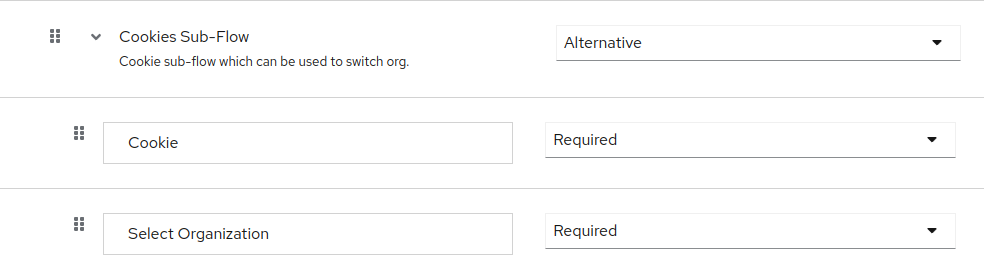
Then making an authentication request with account_hint:
{HOSTNAME}/realms/{REALM}/protocol/openid-connect/auth?response_type=code&client_id={PUBLIC-CLIENT}&scope=openid&redirect_uri={HOSTNAME}/realms/{REALM}/account&account_hint={ORG-ID}
Will skip the select organization form and switch the organization (change user's attribute).
Built-in Flows
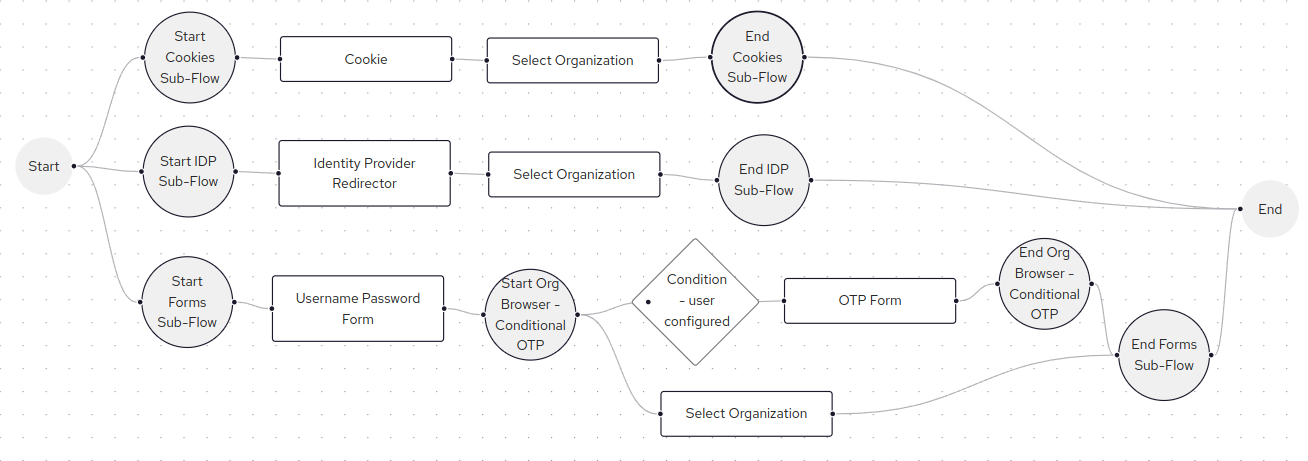
A browser flow and direct grant flow have been added. They are similar to the default Keycloak built-in flows but include the Select Organization step.

Select Org Browser Flow
Configuration
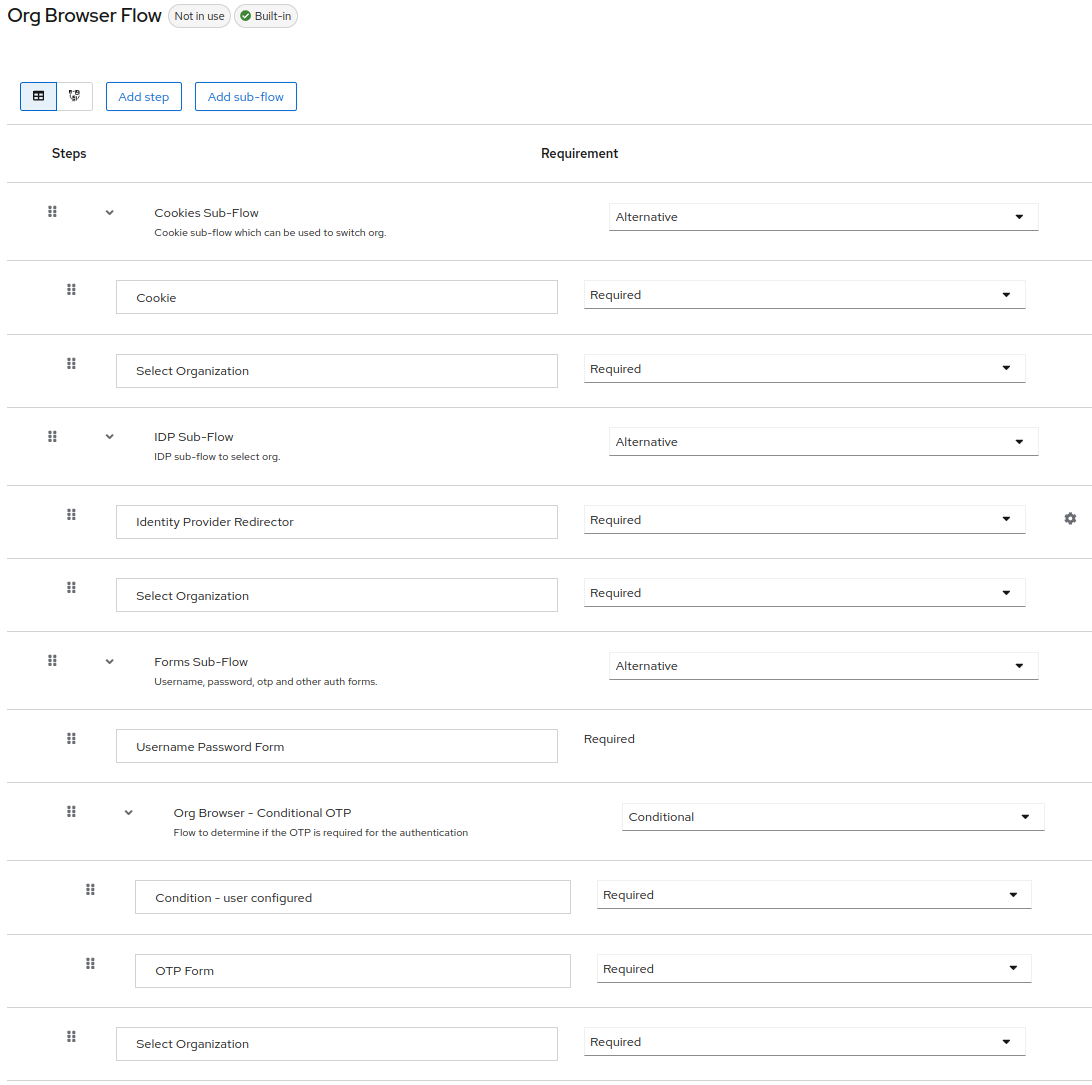
Flow
Select Org Direct Grant Flow
Configuration
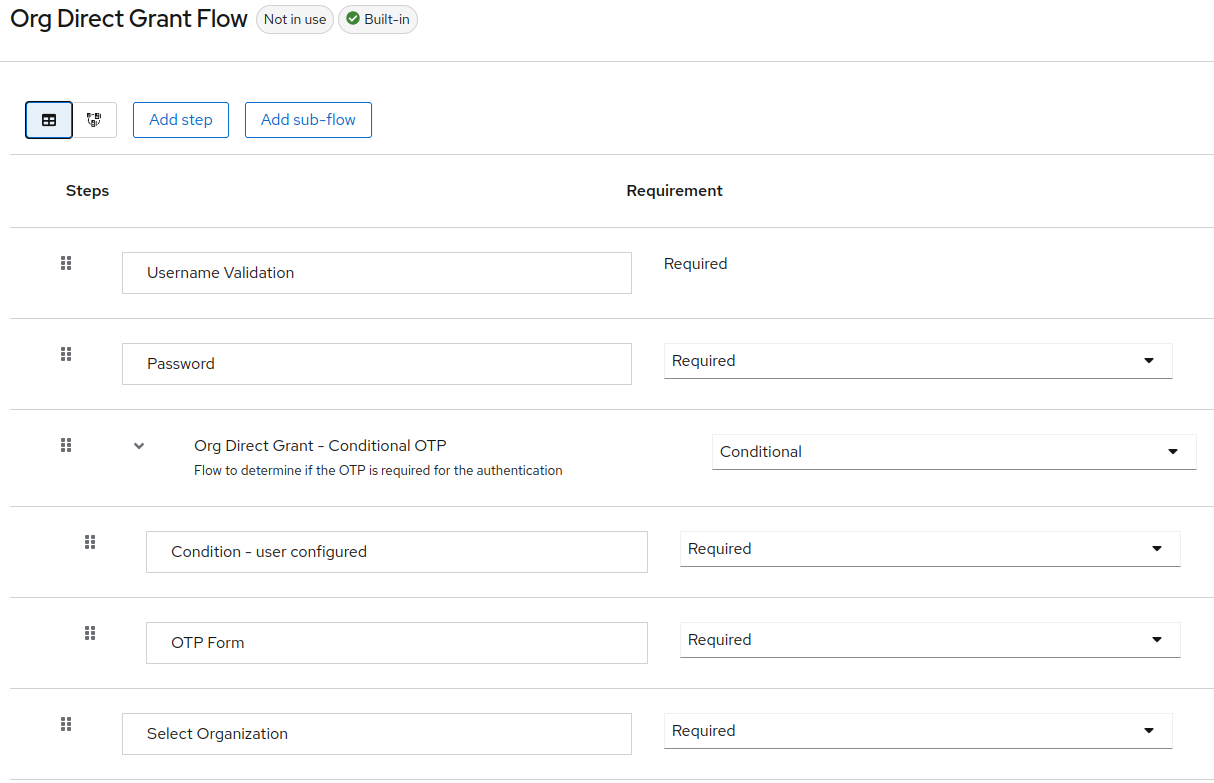
Flow
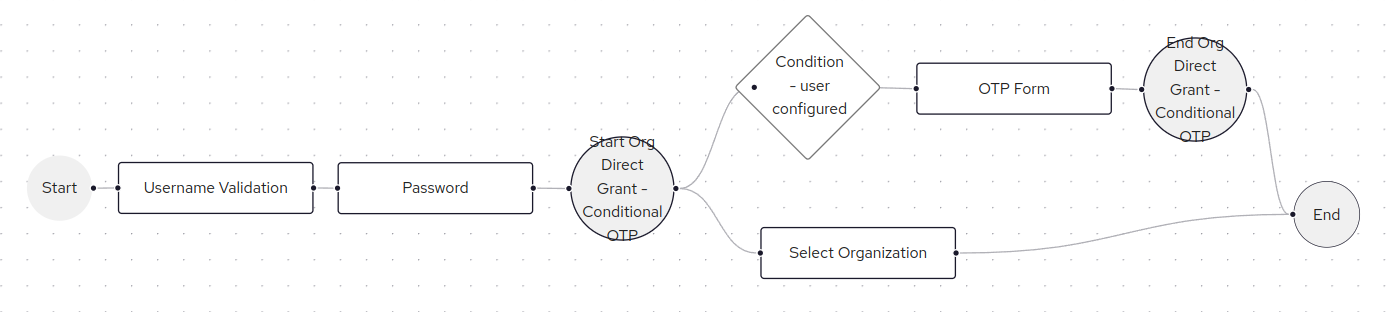
Configuration & Example
Browser Flow (Configuration)
To configure the Browser Flow, you need to duplicate the default Browser flow and modify it.
In the forms part (with Username Password Form), select Add Step.
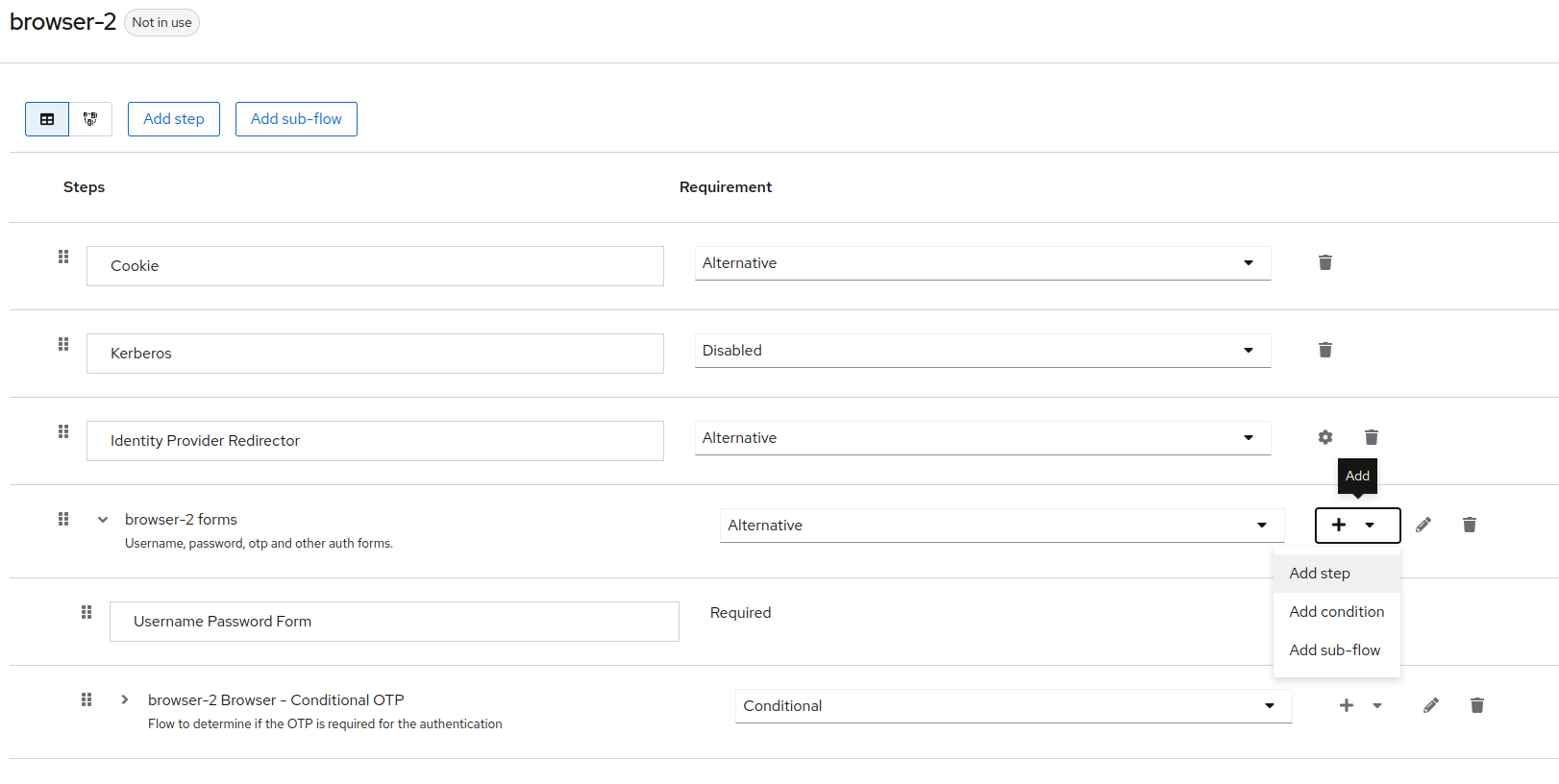
In the selection, search and select Select Organization.
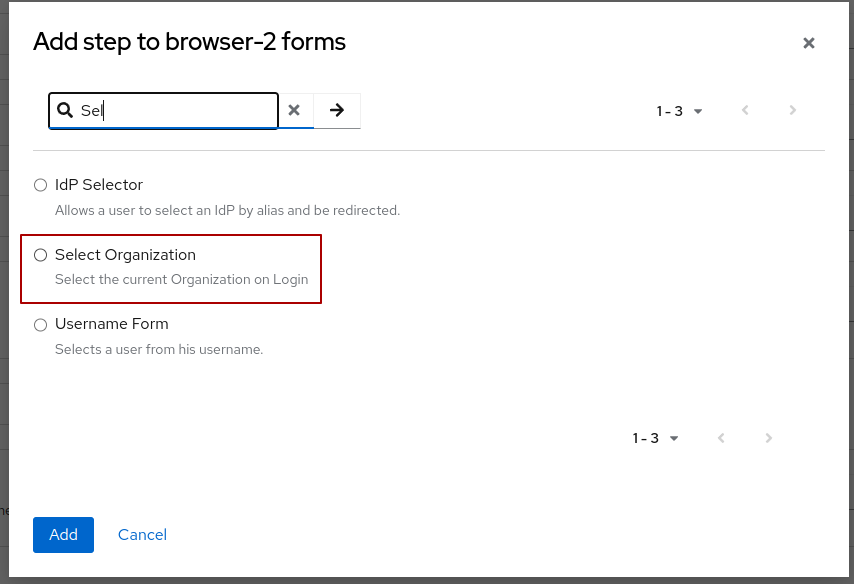
Once selected, enable it by setting it to Required.
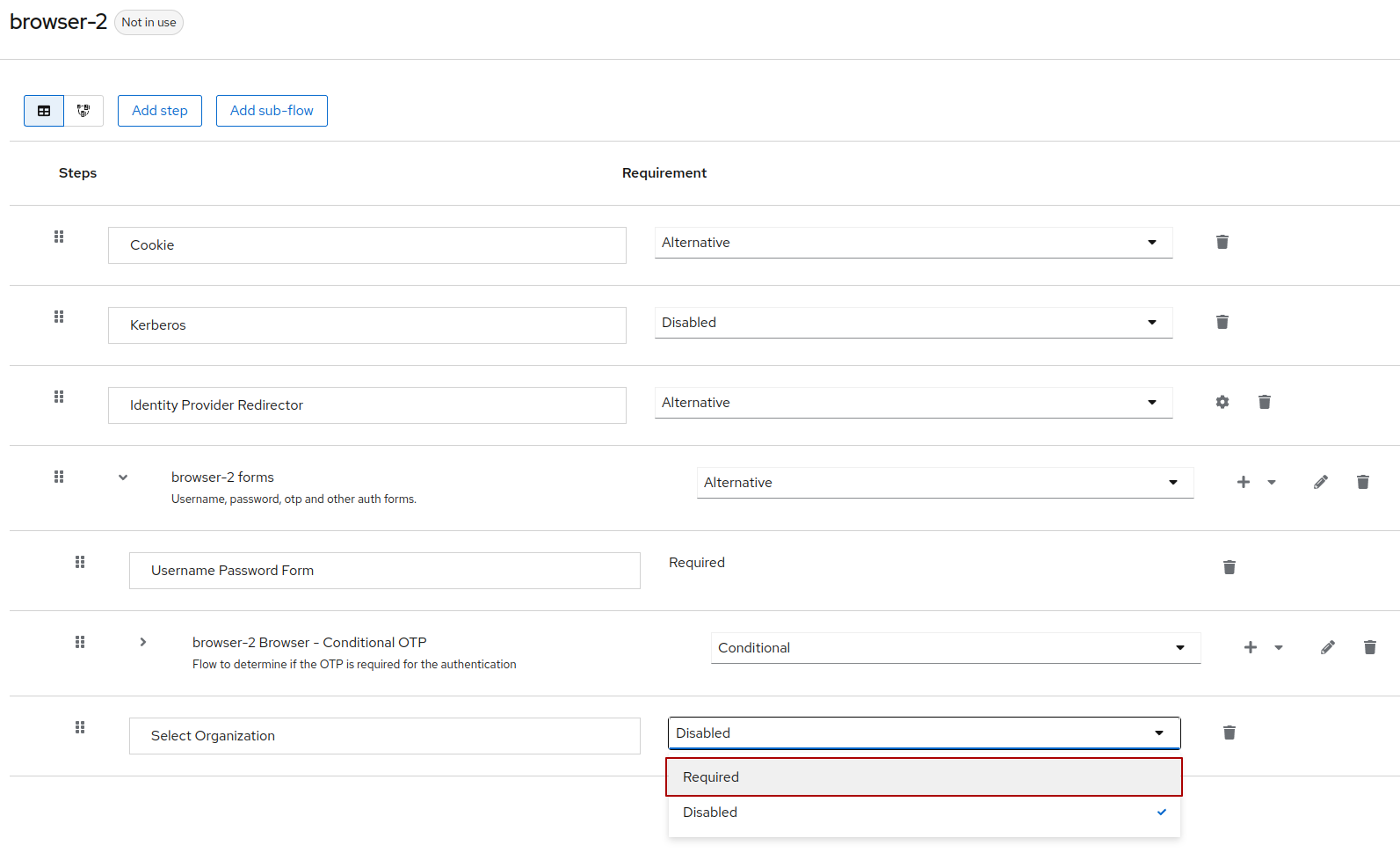
Don't forget to bind this flow to "Browser flow".
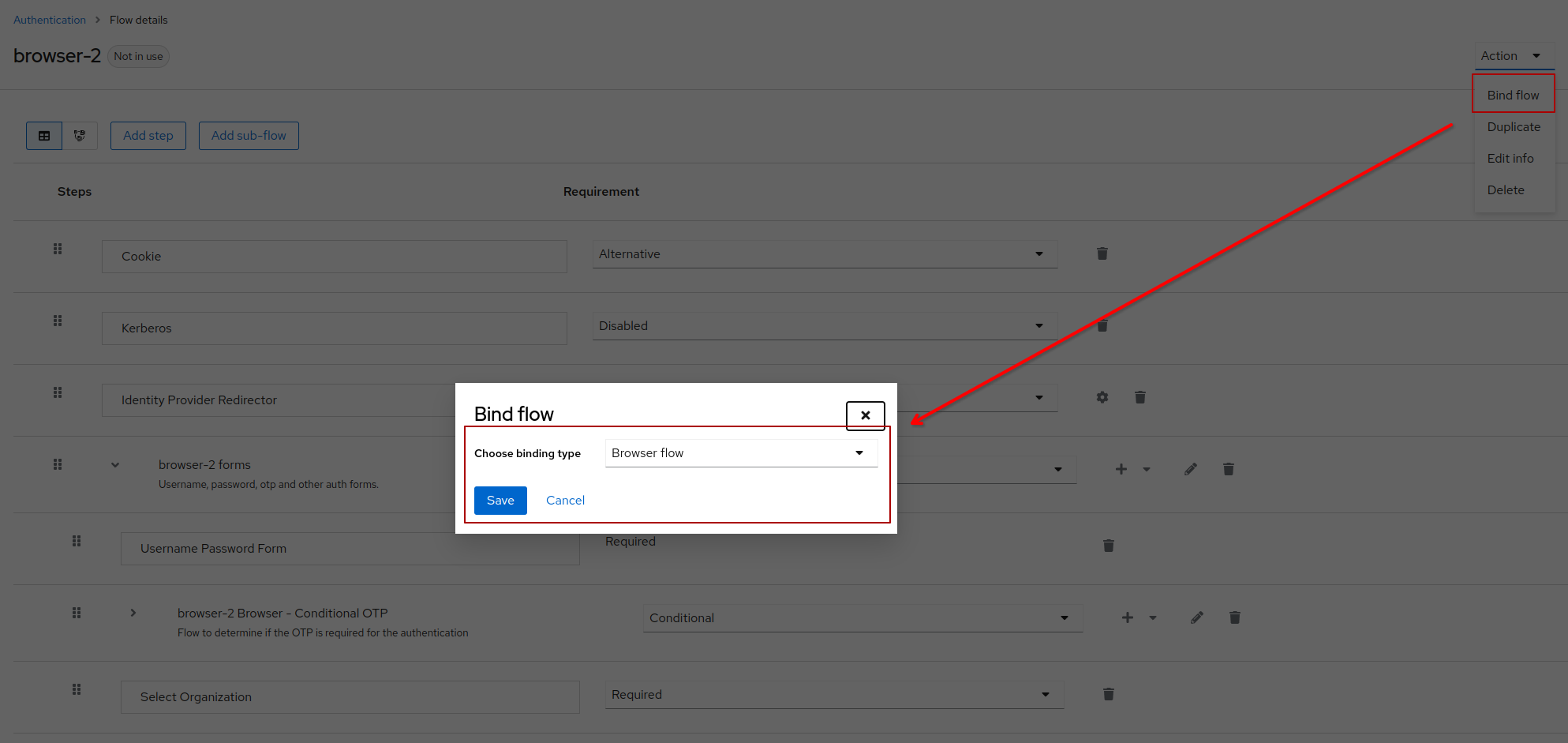
Examples (Tests)
Once configured, you can test the authenticator with an authentication request including prompt=select_account.
Example:
{HOSTNAME}/realms/{REALM}/protocol/openid-connect/auth?response_type=code&client_id={PUBLIC-CLIENT}&scope=openid&redirect_uri={HOSTNAME}/realms/{REALM}/account&prompt=select_account
Once the user enter his username (or email) and password, he will have a drop-down to select an organization.
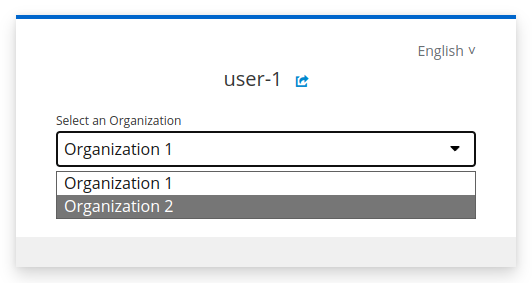
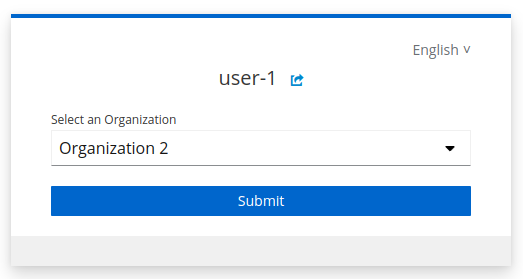
If the user has no organization, instead of the selection step, he will get an Error message.
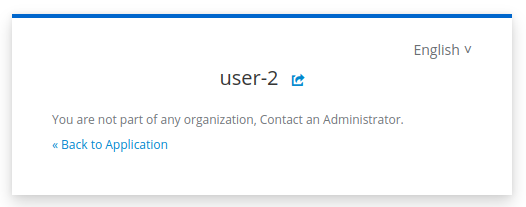
If the user try to access an organization where is not a member (with account_hint for example), he will also get an error message.

Not that doing the authentication request with account_hint={ORG-ID} will skip the selection during log-in but still verify that the user has an organization or has membership.
Direct Grant Flow (Configuration)
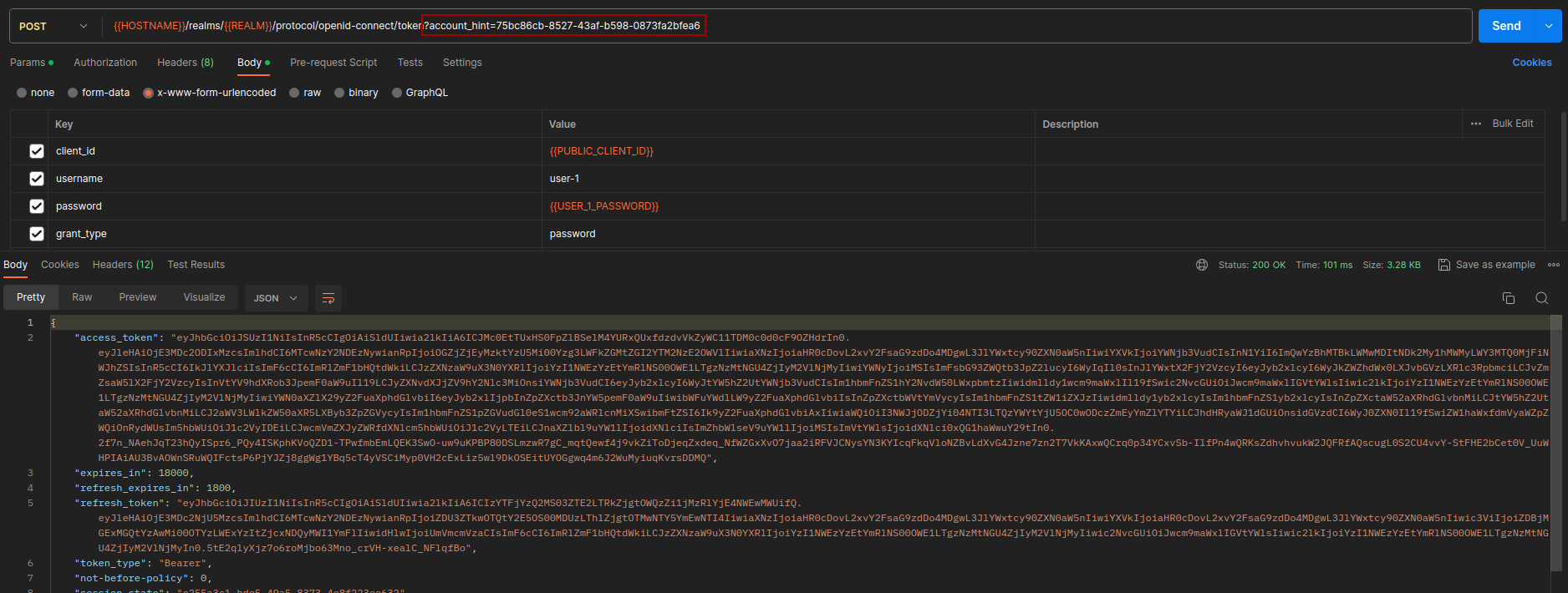
account_hint={ORG-ID} of "Select Organization" authenticator can also be used for a Direct Grant flow.
For that, apply the same configuration as the browser flow to the direct grant flow.
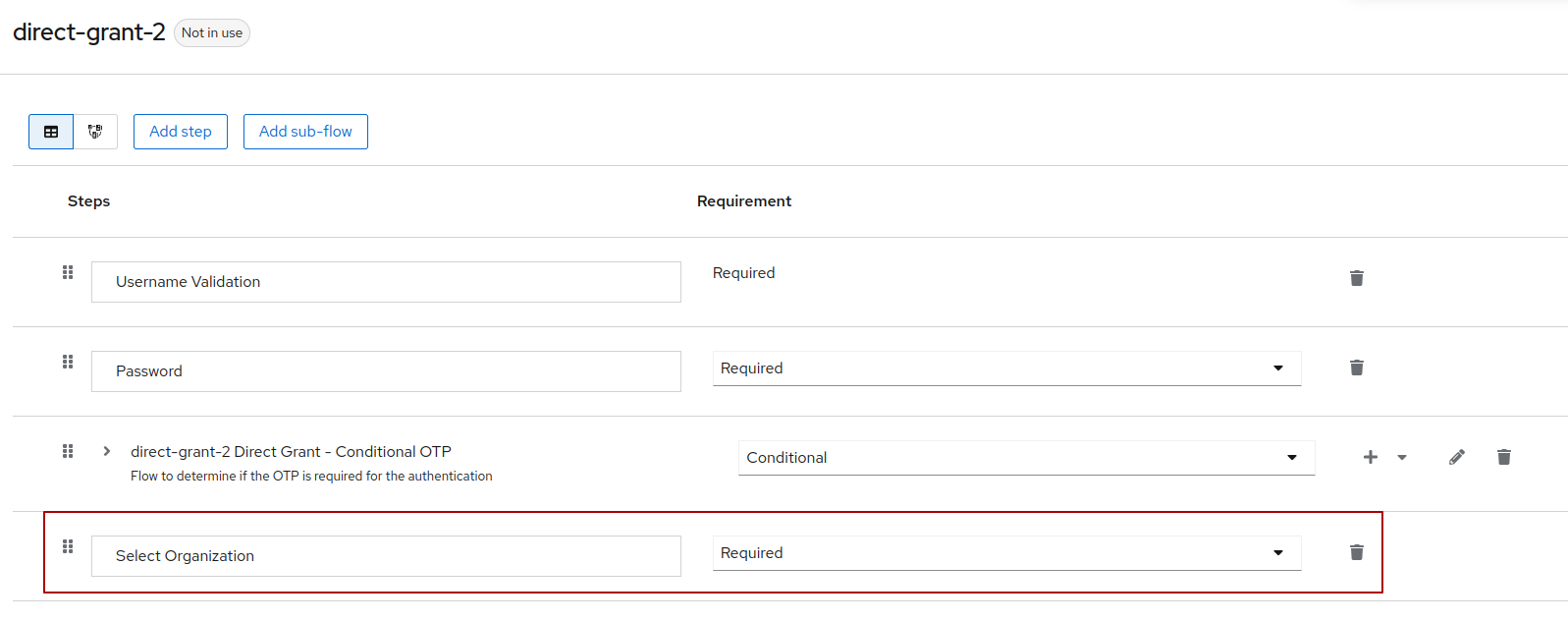
Then, when you make the direct grant authentication, you can pass the query parameter account_hint{ORG-ID} and it will be used to define the active_organization.
Example:
{{HOSTNAME}}/realms/{{REALM}}/protocol/openid-connect/token?account_hint={ORG-ID}