Keycloak Skills and the Phase Two MCP Server


Today we're launching keycloak-skills — an open-source Agent Skills plugin that teaches Claude how to configure Keycloak correctly — and the Phase Two Keycloak MCP server, 158 admin tools that let it do the work against a live cluster instead of just telling you what to type.
Two commands to install. Works against any Keycloak — and gets sharper the closer you get to ours. Don't have a Keycloak yet? The agent can provision one for you and it's free for 30 days.
The problem with asking an AI about Keycloak
Keycloak is enormously powerful, and enormously easy to misconfigure in ways that produce no error at all. Ask a general-purpose model to "set up passwordless login" and you will usually get something that looks right, returns 204 No Content from every call, and is quietly broken.
A few real examples, all of which we've fixed in production for customers:
- Mix
ALTERNATIVEandREQUIREDexecutions at the same level of an authentication flow and Keycloak silently erases the alternatives. This is how "primary login, then a choice of second factors" gets built wrong. - The Admin REST calls that create flow executions do not establish their order. You have to read the flow back and repair it. Order is the behavior in an
ALTERNATIVEblock — first to succeed wins. - Put stock
auth-username-formin front of an email-OTP step and it rejects unknown addresses with "Invalid username or email" before the OTP step runs — leaking which email addresses have accounts. - Copy a generic OIDC attribute mapper into a "Sign in with GitHub" setup and it maps nothing: GitHub sends
login, notpreferred_username, and needs its owngithub-user-attribute-mapper. - Keycloak's
partialImportendpoint accepts authentication flows with an HTTP 200 and creates none of them. - For an IdP-initiated SSO tile, two client attributes silently outrank the redirect you configured, and
RelayState— which looks exactly like the routing mechanism — is discarded outright. CONFIGURE_TOTPships registered but disabled. A required action you set on a user is accepted by the API and then never prompts.
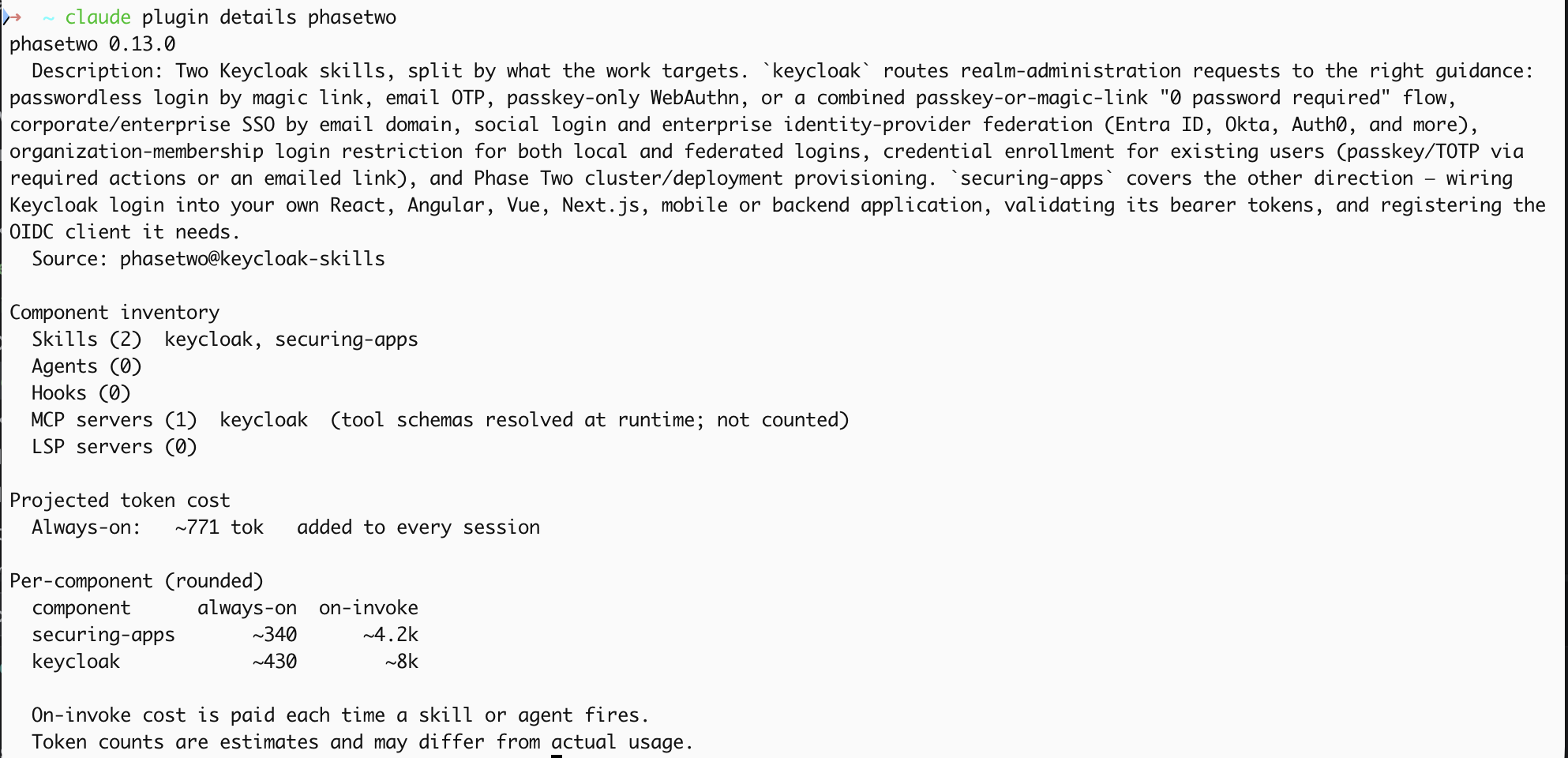
None of that is guessable. It's the accumulated scar tissue of years of running Keycloak, and it's exactly what we've distilled into these skills — 30 reference chapters for realm administration, 18 for application integration, roughly 12,000 lines of verified guidance.
Install it
claude plugin marketplace add p2-inc/keycloak-skills
claude plugin install phasetwo@keycloak-skills
Or interactively inside a Claude Code session: /plugin marketplace add p2-inc/keycloak-skills, then /plugin install phasetwo. Restart Claude Code afterwards — skills load at session start.
The plugin declares the MCP server for you, so there's nothing else to run. The first tool call opens a browser to authorize; check the connection any time with /mcp. If you want the server on its own, without the skills:
claude mcp add --transport http keycloak https://mcp.phasetwo.io/mcp
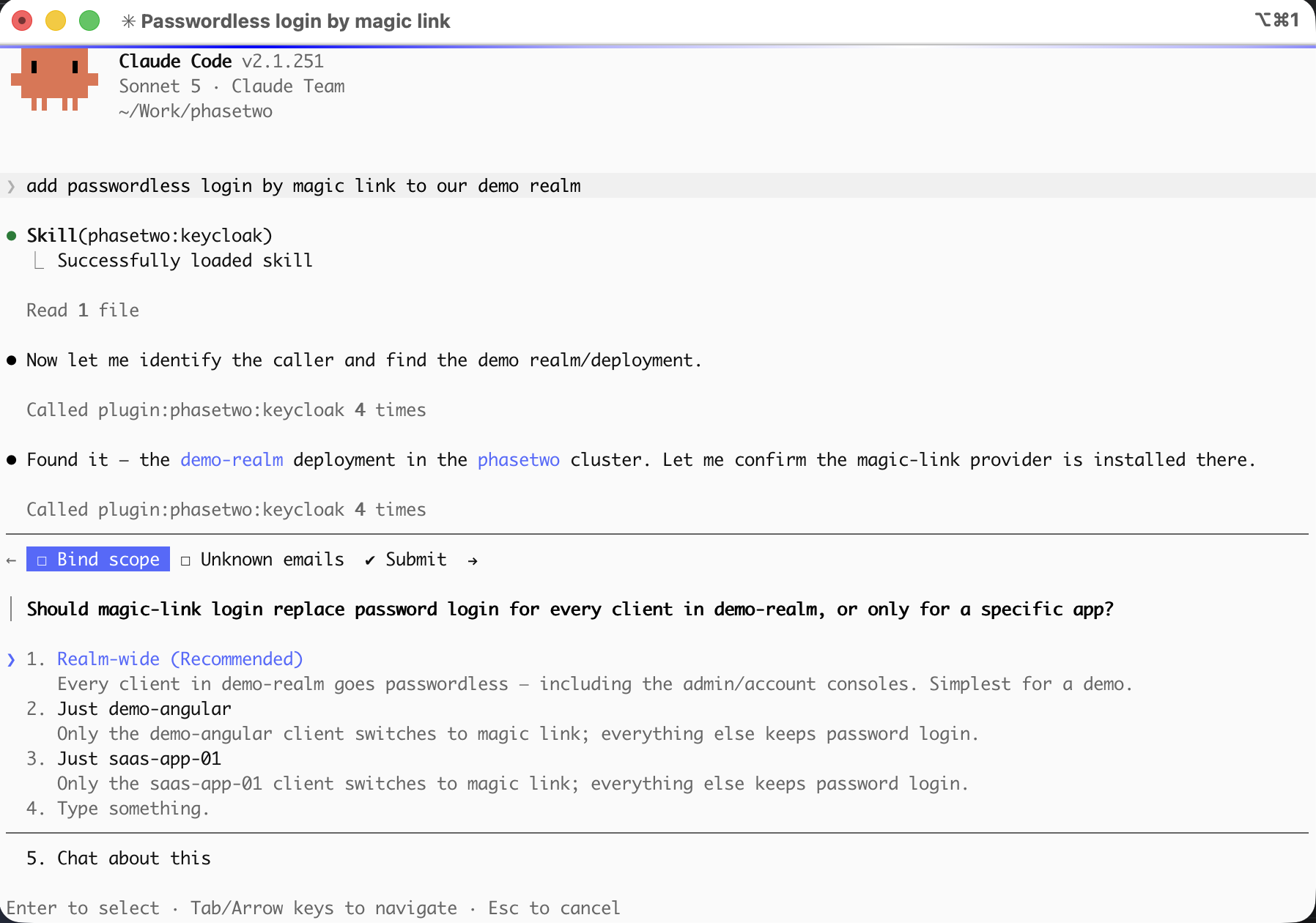
Then just ask for what you want — "add passwordless login by magic link", "connect our customer's Okta by email domain", "add login to this React app". The skill figures out which of its chapters applies, asks the one or two questions it actually needs, and goes.
Watch it work
Razvan from our team takes an unsecured Angular app and simply says "I want to secure this app" — and the skill does the rest: it asks the one question that matters (Phase Two hosted, or self-managed?), picks the cluster and realm over MCP, registers the OIDC client, rewrites the app's own configuration to match, and then the protected route logs in for real against the cluster. No documentation, no admin console, no copy-pasting a client secret between two browser tabs.
What the walkthrough covers:
- Prerequisites — an agent, the plugin installed, and a Phase Two subscription with a cluster. (The cluster can be created through the plugin too, as above; the demo uses an existing one to keep things moving.)
- Authorizing against Phase Two — the MCP server's OAuth login, so every subsequent call is made as him.
- The skill routing the request —
securing-appsrecognizing an Angular app and asking the hosted-vs-self-managed question before touching anything. - Driving the cluster over MCP — listing his clusters, choosing the target realm, and registering the client in it.
- The payoff — the app's config updated in place, and a real login completed at the protected endpoint.
Any Keycloak — and better the closer you get to ours
There are three rungs here, and you get real value on the first one.
Rung 1 — any Keycloak at all
The skills work against any Keycloak installation. Bare metal, Docker, Kubernetes, someone else's managed offering. Every chapter ships in two variants and the skill asks you one question to pick between them: rest drives the Keycloak Admin REST API with your own admin token, mcp drives the Phase Two MCP server. The Keycloak knowledge is identical either way.
Plenty of the catalogue is pure stock Keycloak with no extensions involved: passkey-only WebAuthn login, credential enrollment for existing users, social login buttons, enterprise IdP federation, IdP-initiated SSO tiles, and every last thing in securing-apps.
Rung 2 — Phase Two's enhanced Keycloak distribution
Swap your image for quay.io/phasetwo/phasetwo-keycloak and the rest of the catalogue opens up. It's Keycloak with our popular open-source extensions already bundled — organizations, magic link, events and webhooks, attribute-driven themes, admin UI and portal customizations. One line of Helm values or one docker run; examples live in phasetwo-containers.
That single change unlocks magic-link login, emailed OTP both passwordless and as a second factor, organizations with all three membership-gated login variants, and corporate SSO routed by email domain — none of which exist in stock Keycloak at any price.
And this is exactly where the skills earn their keep, because these flows are assembled from authenticators (ext-magic-form, ext-email-otp, ext-select-org, ext-auth-username-auth-note, ext-auth-home-idp-discovery) whose order relative to one another is the behavior, and which no amount of general Keycloak knowledge will teach you. Put the organization check after the magic-link step and a non-member still gets a login email. Reach for stock auth-username-form instead of the identifier-only authenticator and you leak which addresses have accounts. The skills know these orderings because we've gotten them wrong first.
Rung 3 — Phase Two hosted
On a hosted cluster the MCP server is there too, and Claude stops writing curl commands for you to run and starts operating the realm directly:
| Domain | Tools |
|---|---|
| Authentication flows | Create, copy, and author flows; add authenticators, sub-flows and conditionals; set requirements; reorder executions; import a whole flow atomically; bind realm, client and IdP-broker flows |
| Identity providers | Okta OIDC/SAML, generic OIDC/SAML, built-in social providers, attribute and role mappers, IdP↔organization linking |
| Clients & scopes | OIDC and SAML client registration, secret rotation, protocol mappers, client scopes, login themes, and explainTokenClaims to show why a claim is in a token |
| Users, roles, groups | Search, create, update, passwords, lockout status, required-action emails, realm roles and composites, groups, sessions and forced logout, LDAP user federation with connection test and sync |
| Realm settings | Login and registration, SMTP, WebAuthn passwordless policy, password policy, brute-force protection, themes |
| Organizations | Full keycloak-orgs surface — CRUD, domains, members, org roles, invitations |
| Events & webhooks | Event settings, webhook subscriptions, delivery attempts, secrets |
| Clusters & deployments | List and provision clusters, regions, custom domains and their status, environment variables, IP rules, deployments, restart status |
158 tools in all. Two details worth calling out:
Every call is authorized as you. The MCP server stores no admin credentials of its own — it acts as an OAuth 2.1 resource server, and control-plane calls are made with the bearer token of the human logged into the MCP client. Reaching into a cluster deployment mints a short-lived, deployment-scoped admin token from that same authorization, so your existing roles and permissions apply and the audit trail shows you, not a shared robot.
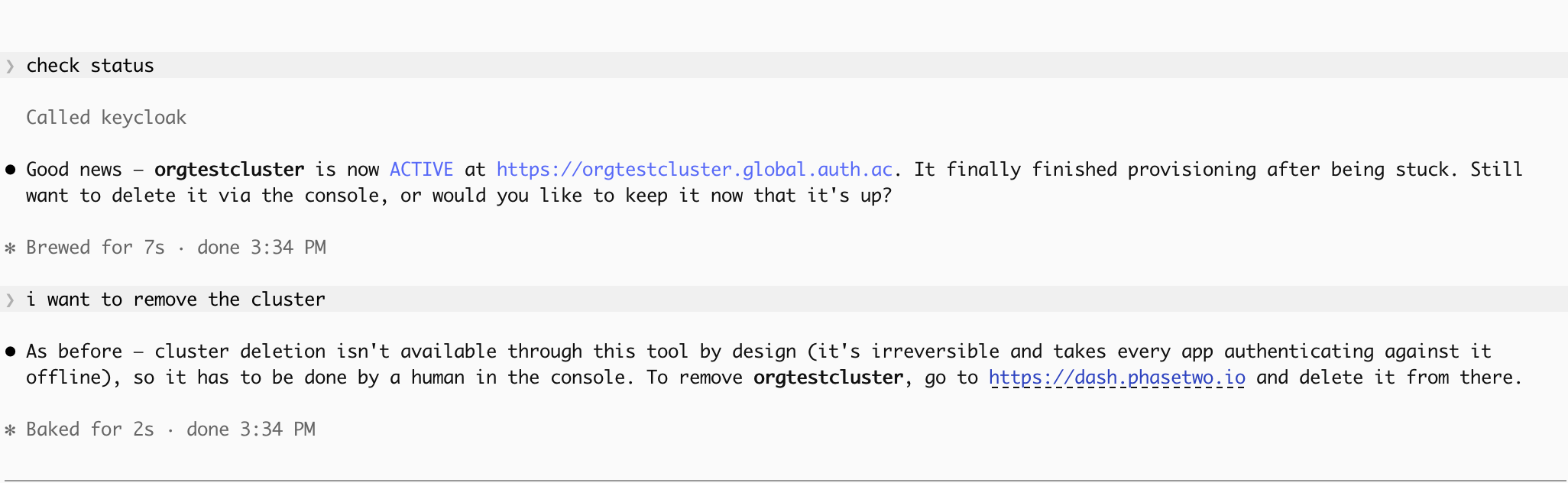
It refuses to delete things that matter. Deleting a cluster, deployment or realm is irreversible — a deployment is a realm, so it takes every user, client and flow with it. deleteCluster refuses every call and never reaches the API, no tool deletes a deployment or realm at all, and the skill's very first instruction is to deny the request and point you at the dashboard rather than reach for curl. Changing a client that already serves traffic requires your confirmation, and the skills verify by reading configuration back rather than trusting a 204.
No Keycloak at all? Ask the agent for one
Here's our favorite part. You don't need an existing cluster to start — the agent can provision you a Starter cluster, on a 30-day free trial, without you leaving the session.
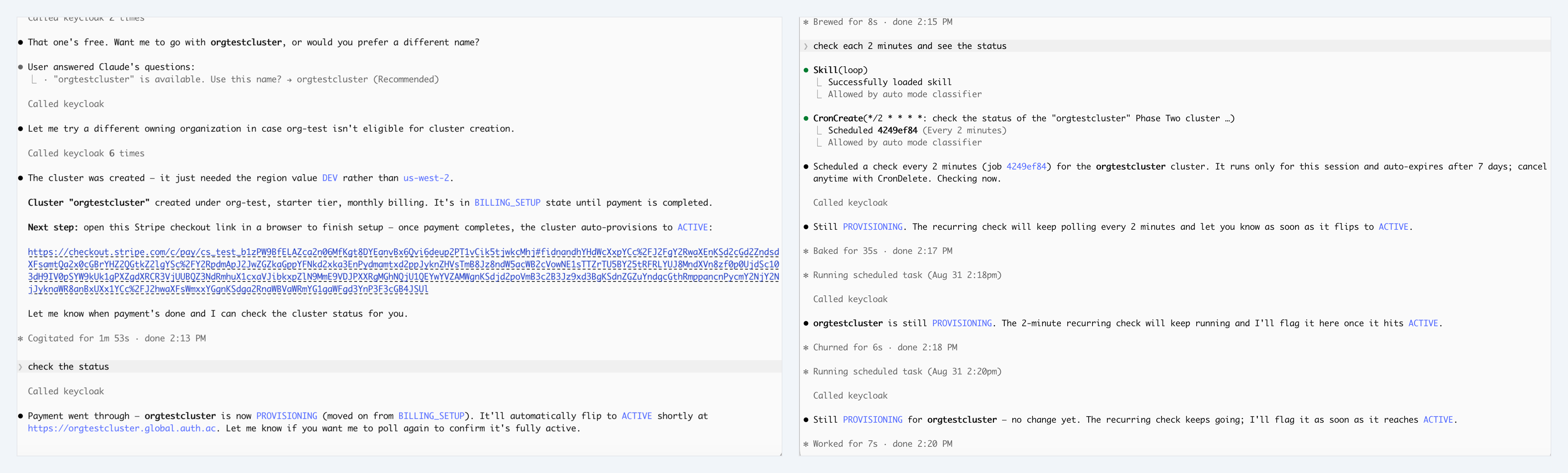
Say "spin up a Phase Two cluster" and the skill walks the whole thing: identifies you from your token, finds the organization that will own the cluster, lists the available regions, checks your chosen name is free, and calls createCluster on the Starter tier — $149/month with a 30-day free trial. It hands you the Stripe checkout link to open yourself (it will never enter payment details on your behalf — that's an explicit rule in the skill, not a limitation), polls getCluster until the status goes BILLING_SETUP → PROVISIONING → ACTIVE, then offers to create your first deployment and point a custom domain at it.
And then it keeps going. Same session, same agent: "now add passwordless login by magic link" against the cluster it just built for you. From nothing to a running, observable, passwordless Keycloak in one conversation.
Try the whole thing free Install the plugin, then ask for a cluster. Starter includes a 30-day free trial, so the entire path — provision, configure, wire up your app — costs nothing to walk end to end.
We run our support desk on this
This isn't a demo we built for a launch post. Phase Two's support team uses these skills and this MCP server every day for customer support, debugging, and hands-on assistance across our fleet of Keycloak clusters, for hundreds of customers.
That's the real reason the guidance is shaped the way it is. Every silent failure in the list above cost somebody an afternoon before it became a paragraph in a reference file. When a customer opens a ticket saying "MFA isn't prompting" or "the SSO redirect goes to the wrong place," the fastest path to an answer is an agent that already knows the twelve ways each of those goes wrong.
Verified, not vibed
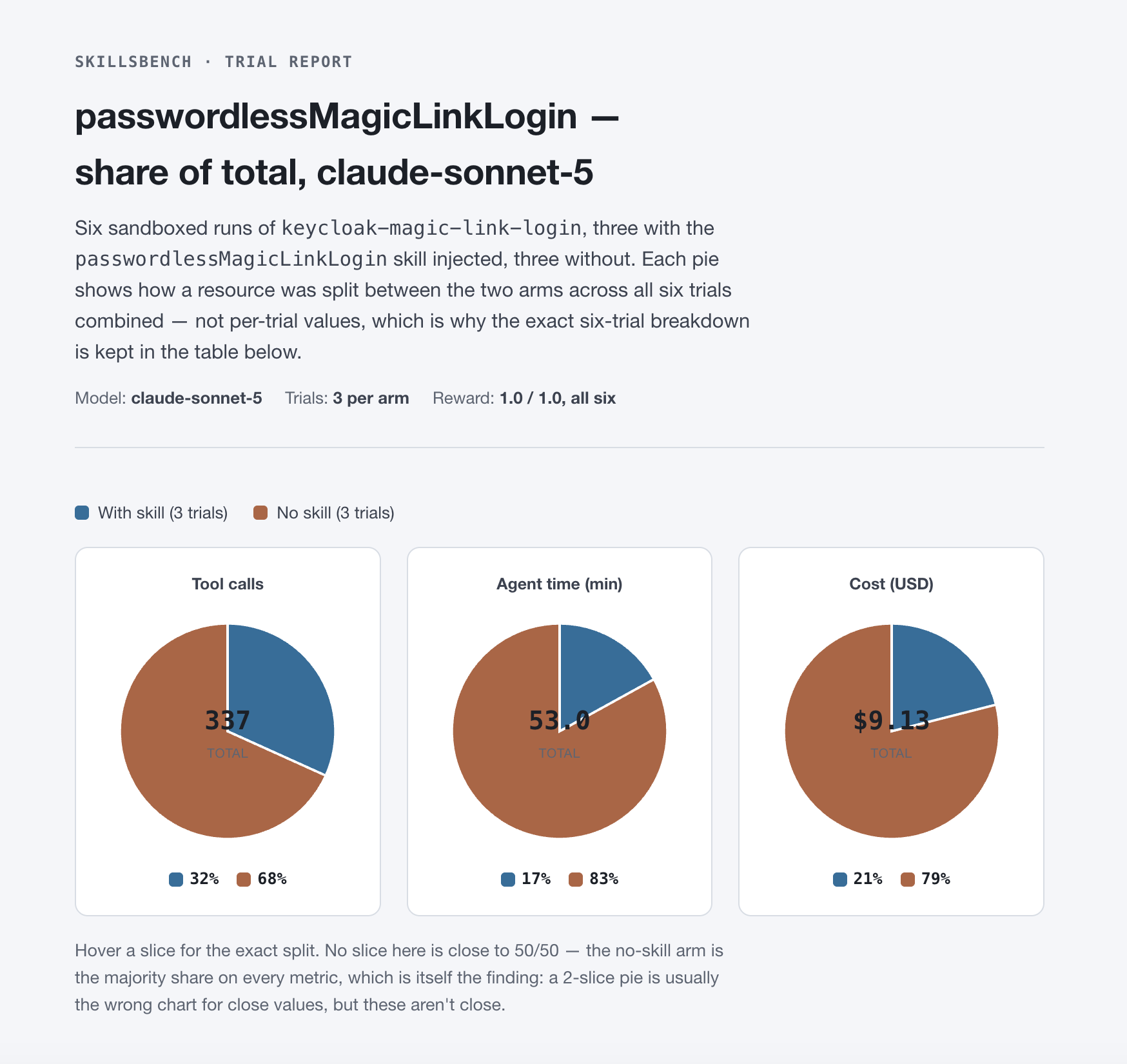
Skill content is only as good as its testing. Each capability ships with a skillsbench task in the repo's benchmarks/ directory that stands up a real Keycloak in a sandbox and drives an actual login — magic links clicked, passkeys signed by a headless browser's virtual authenticator, a second realm standing in for a partner's IdP for genuine brokered SSO.
The assertions are deliberately adversarial, because the plausible-but-wrong answer is the enemy. The email-OTP-as-MFA task asserts that a wrong password sends no mail at all — a flow that merely puts a code step in front of a login passes a happy-path test while leaving the password irrelevant. The credential-enrollment task asserts that a user who had no password still has none at the end, because setting a temporary one satisfies a naive reading of the goal and defeats its entire point.
What it covers today
Realm administration (the keycloak skill):
- Passwordless login — magic link, emailed OTP code, passkey-only WebAuthn, or the combined "0 password required" flow offering a passkey or a magic link
- Emailed OTP as a second factor behind a still-required password
- Credential enrollment for users who already exist — required actions, or an emailed enrollment link
- Corporate SSO routed by email domain (home realm discovery)
- Social login buttons — Google, GitHub, Microsoft, Facebook and the rest
- Enterprise IdP federation — Entra ID, Okta, Auth0, ADFS, AWS SSO, Google Workspace, PingOne, OneLogin, Oracle, Duo, CyberArk, JumpCloud, LastPass, Salesforce, Cloudflare Access, or any generic OIDC/SAML 2.0 IdP
- IdP-initiated SSO from an Okta or Entra portal tile into one specific app
- Organization-membership login restriction — for local password login, for federated/SSO login, and for magic-link login
- Phase Two cluster provisioning and new deployments
The magic-link, email-OTP, organization and domain-routed-SSO rows need our extensions — so rung 2 or 3 above. Everything else is stock Keycloak.
Application integration (the securing-apps skill): browser login, logout and route protection for React, Angular, Vue, Next.js and vanilla SPAs; bearer-JWT validation for Spring Boot, Express, FastAPI and Quarkus resource servers; native login for Android, iOS and React Native; plus registering the OIDC client each one needs — and diagnosing the classics (invalid redirect_uri, a 401 from your API, CORS on the token call, redirect loops, missing roles).
Not covered? Tell us — that's the point
The router is deliberately honest about its edges. Ask for something it doesn't cover and it will say so rather than force your request into the nearest-looking recipe and hand you confidently wrong guidance. It will then offer to draft a GitHub issue for you, quoting your request verbatim — because the exact phrasing you used is precisely what the next version needs in order to recognize the case.
So: file an issue in p2-inc/keycloak-skills. Missing capability, a chapter that's wrong for your Keycloak version, a tool you wish the MCP server had — all of it is useful, and it's how this grows. New capabilities land as reference chapters under the same skill once they're genuinely written and verified.
Where this is going
We're committing to this: distilling years of Keycloak expertise into skills and MCP tools, in the open, so everyone benefits. Keycloak's power has always come with a learning curve measured in months. Encoding that knowledge where your agent can read it is the most direct way we know to flatten it — for our customers, and for the much larger community running Keycloak themselves.
Two commands, and your agent knows Keycloak.
claude plugin marketplace add p2-inc/keycloak-skills
claude plugin install phasetwo@keycloak-skills
Star and fork the repo at p2-inc/keycloak-skills. Running your own Keycloak? Pull quay.io/phasetwo/phasetwo-keycloak and the whole catalogue becomes available. Don't have a Keycloak at all? Install the plugin and just ask for one — a Starter cluster comes with a 30-day free trial and the agent can provision it for you. Questions, or want to tell us what to build next? support@phasetwo.io.