Organization Configuration
The Organizations extension has a set of realm-level configuration settings that control how organizations behave across your deployment.
These settings are especially important when you are using:
- organization-managed SSO
- shared or multiple identity providers
- portal links for organization admins
- organization bootstrap behavior for new org creation
All of these settings can be changed in the Admin UI by clicking the "Manage Settings" button in the Organizations tab.
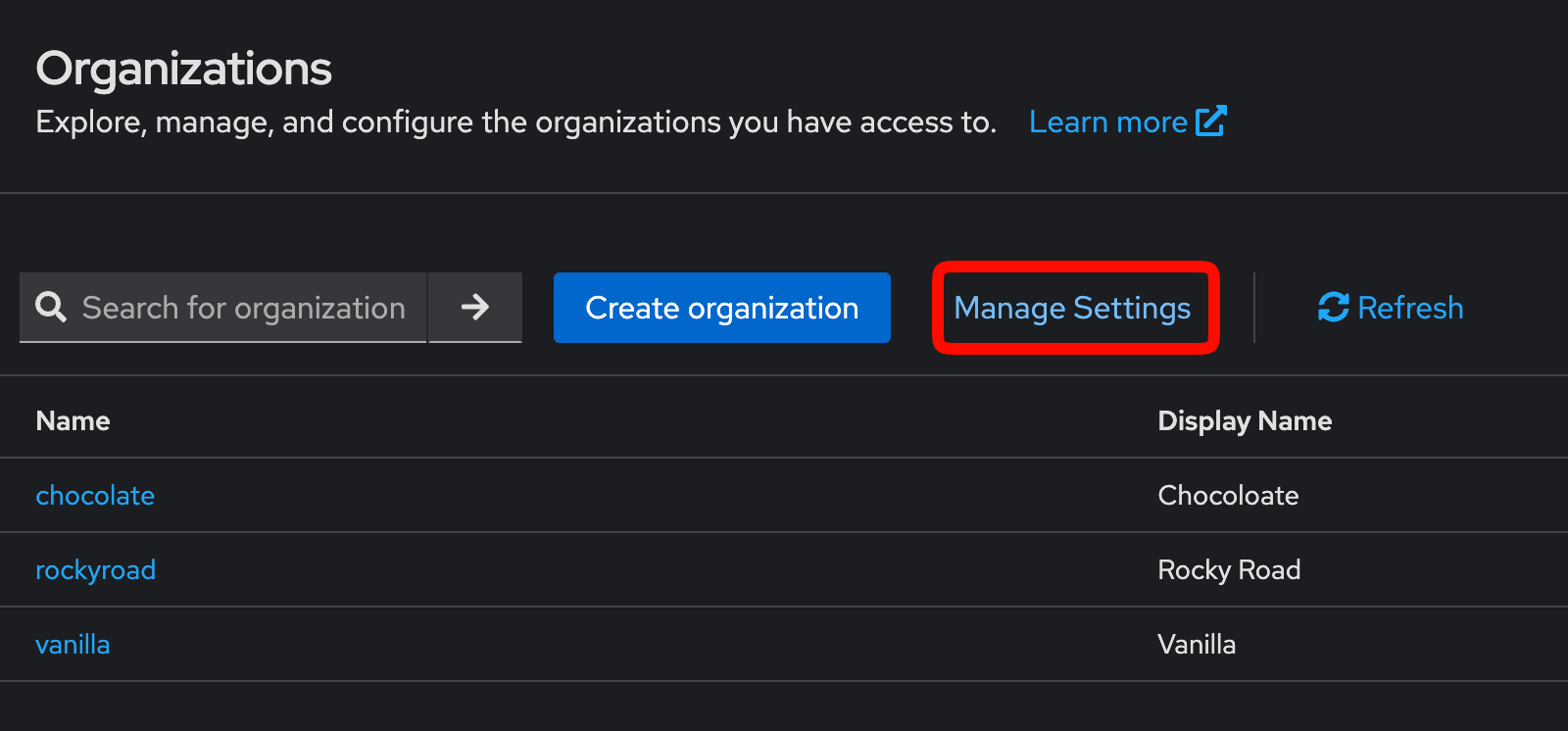
Then each setting can be edited in the form that appears. Be sure to click "Save" when you are done.
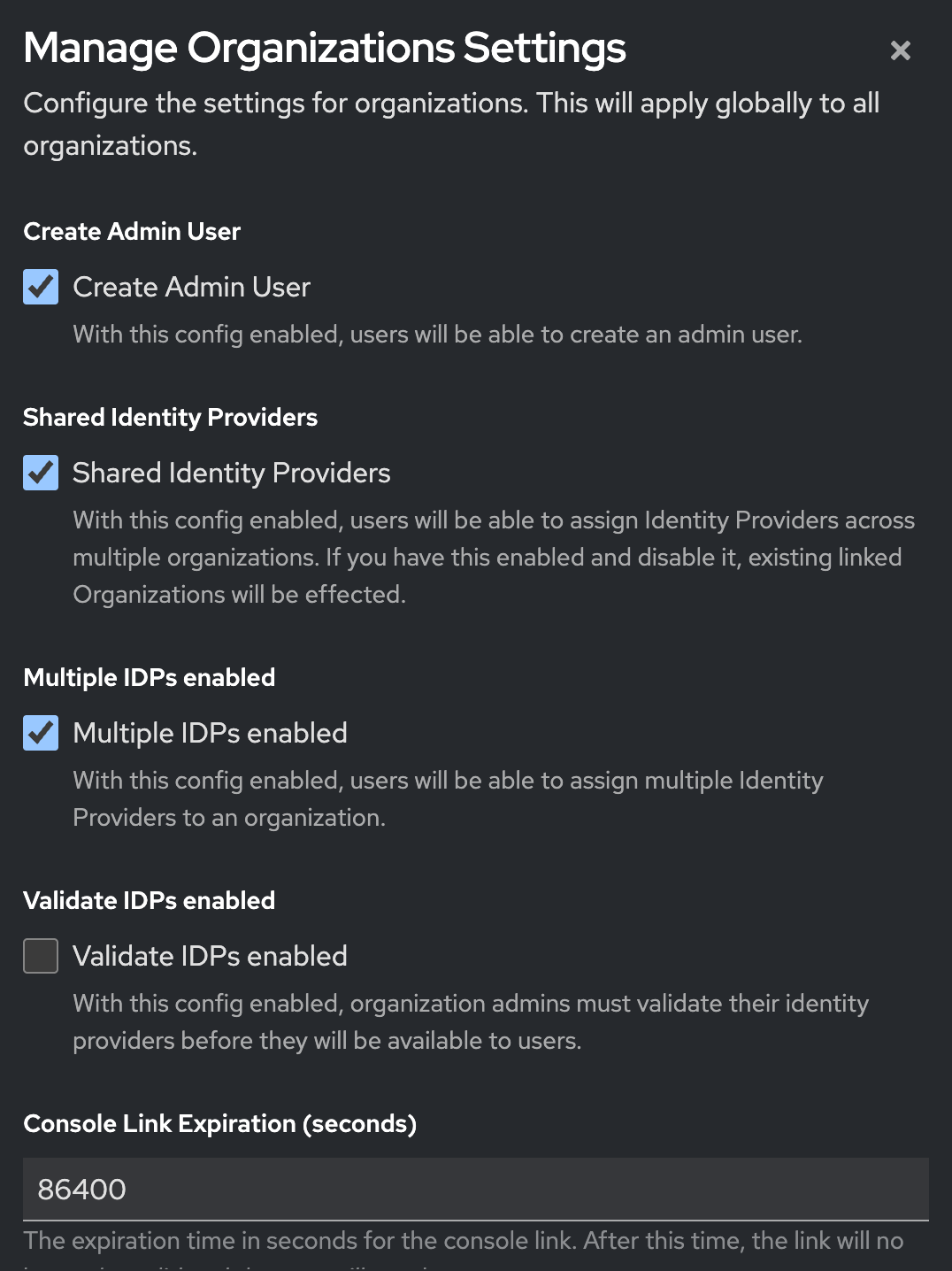
Main configuration settings
Create admin user
This controls whether a default organization administrator user is created when a new organization is created.
When enabled, the extension creates the machine-style organization admin user described in Membership. This is useful for flows such as portal links and delegated organization administration.
Realm attribute key:
_providerConfig.orgs.config.createAdminUser
Shared IdPs
This controls whether a single Keycloak identity provider can be assigned to more than one organization.
When enabled:
- one IdP can be associated with multiple organizations
- shared federation setups become possible across multiple customer organizations
When disabled:
- an IdP is effectively treated as organization-specific
- moving from shared to non-shared setups may require reassignment of existing IdP relationships
Realm attribute key:
_providerConfig.orgs.config.sharedIdps
Multiple IdPs
This controls whether a single organization can have more than one associated identity provider.
This is useful when an organization needs:
- multiple upstream enterprise IdPs
- separate SAML and OIDC connections
- staged migrations between providers
- different login paths for different groups of users
Realm attribute key:
_providerConfig.orgs.config.multipleIdps
For more on assigning multiple providers to one organization, see Identity Providers.
Validate IdP
This controls whether newly created organization identity providers go through the IdP validation flow.
This setting is part of the Phase Two organizations login workflow and works together with the post-broker validation logic in the extension. It is most relevant when you allow customer administrators to configure their own identity provider and you want an extra validation step around that setup.
Realm attribute key:
_providerConfig.orgs.config.validateIdp
Portal link expiration
This controls how long organization portal links remain valid.
This matters when you generate time-limited links for organization administrators to access the admin portal or setup wizards.
Realm attribute key:
_providerConfig.orgs.portalLink.expirationInSecs
Related docs:
Default application URI
This defines a default application URI used in organization-related flows where a return destination is needed.
Realm attribute key:
_providerConfig.orgs.config.defaultApplicationUri
Why this page matters
Without these settings, it is hard to reason about why one realm behaves differently from another when working with:
- invitation and portal-link flows
- customer-managed identity providers
- shared or multi-IdP organizations
- post-login organization assignment behavior
If you are debugging organizations behavior, checking these realm-level settings should be part of your first pass.