Environment Variables
Configure your Keycloak cluster's environment variables directly from the Phase Two Dash. This allows you to set custom environment variables that can be used by your Keycloak instance and any custom extensions you may have deployed.
Add and Remove Environment Variables
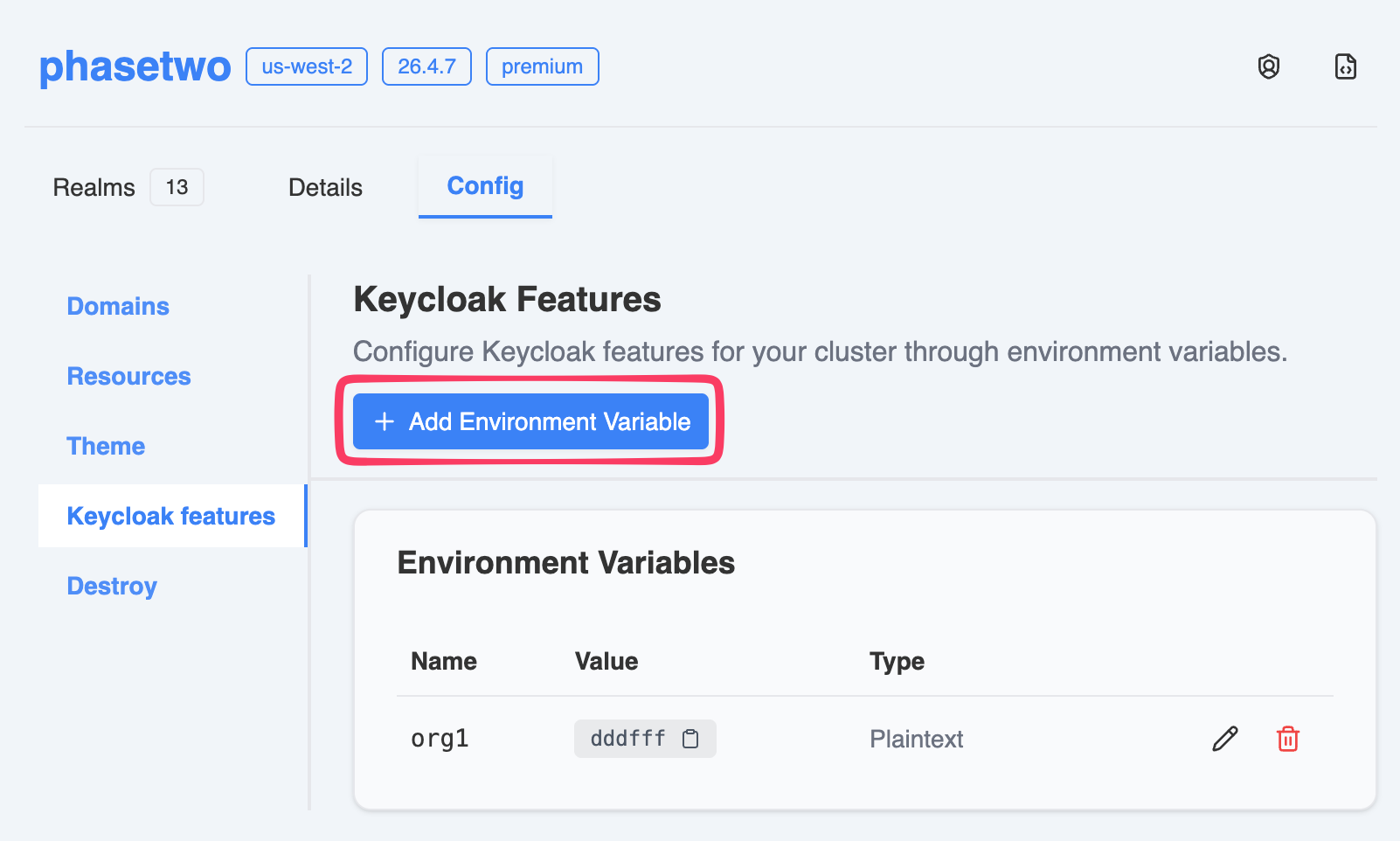
Go to your cluster's page > Config tab > Keycloak features.
Add a New Environment Variable
- Click Add Environment Variable to add a new variable.
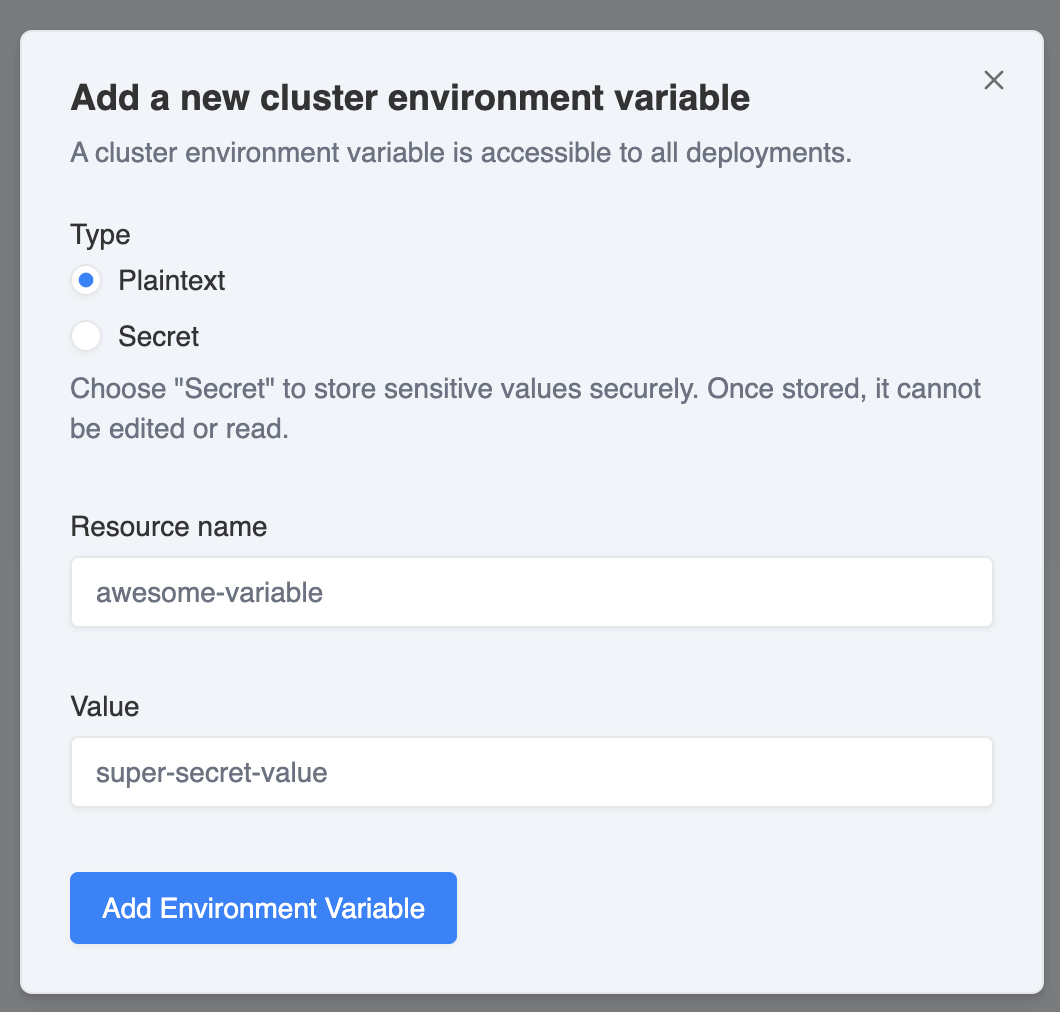
- Choose if the variable will be plaintext or a secret. Once a secret is created, its value will be hidden and cannot be viewed again. It cannot be changed, only deleted.
- Enter the Name and Value for the environment variable, then click Save to apply the changes.
Remove an Environment Variable
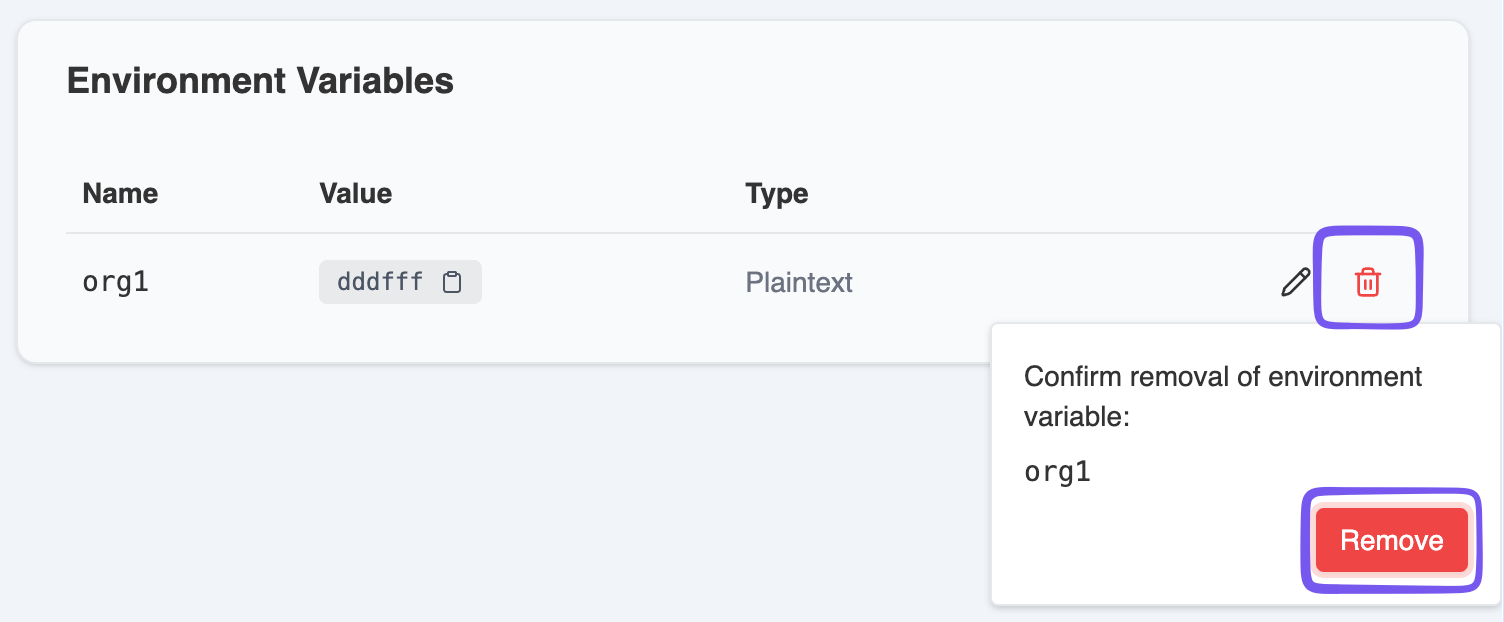
- Click the Trashcan button next to the environment variable you wish to remove.
- Confirm the deletion in the popup dialog by clicking Remove.
Applying Changes
After adding or removing environment variables, the Phase Two team will review and apply the changes to your cluster.