Token Mappers
Token mappers allow you to map information about the user, their organization, or other attributes into the access token, ID token, or userinfo endpoint response. This can be useful for applications that need to know about the user's organization or other attributes in order to make authorization decisions.
You can create a mapping at the realm level or the client level, depending on your needs. The process is the same. The following overlaps with configuration of the active organization mapper.
Configure the mapper
1. Create client scope
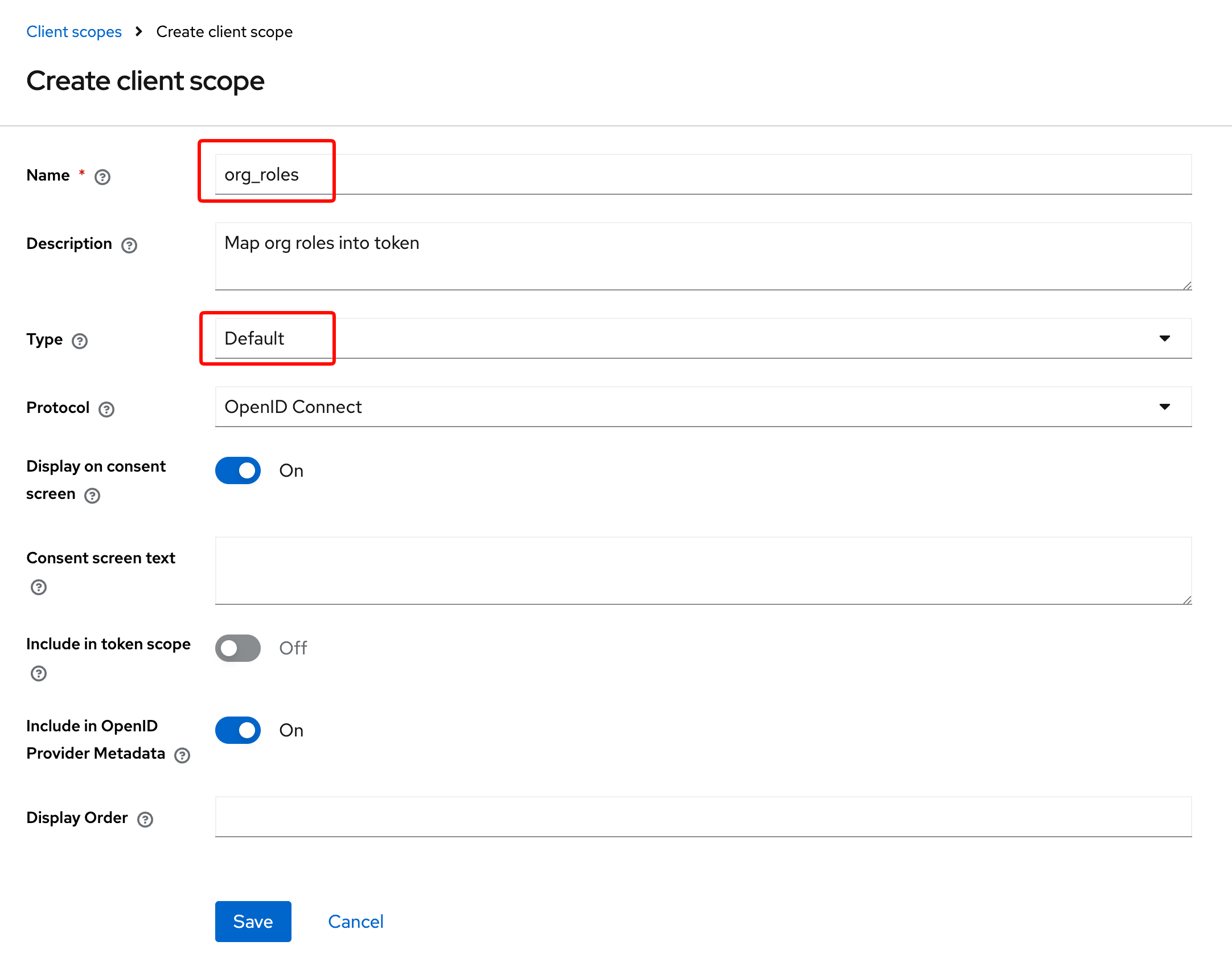
In your realm Client scopes, add a new client-scope, set the configuration and name as you wish.
2. Use an organization mapper
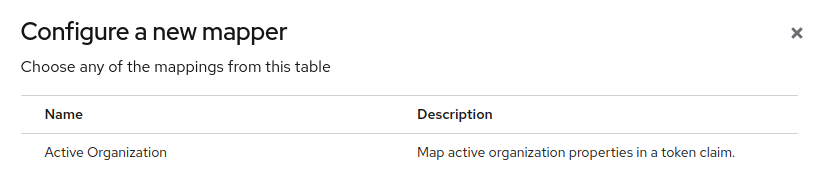
Phase Two provides predefined mappers for organization information, but you can also create your own custom mappers if you need to map other information. Select "Configure a new mapper" adn from the list you can select
- Active Organization
- Organization Attribute
- Organization Role
- Organization Specific Attribute
For example the "Active Organization" mapper,
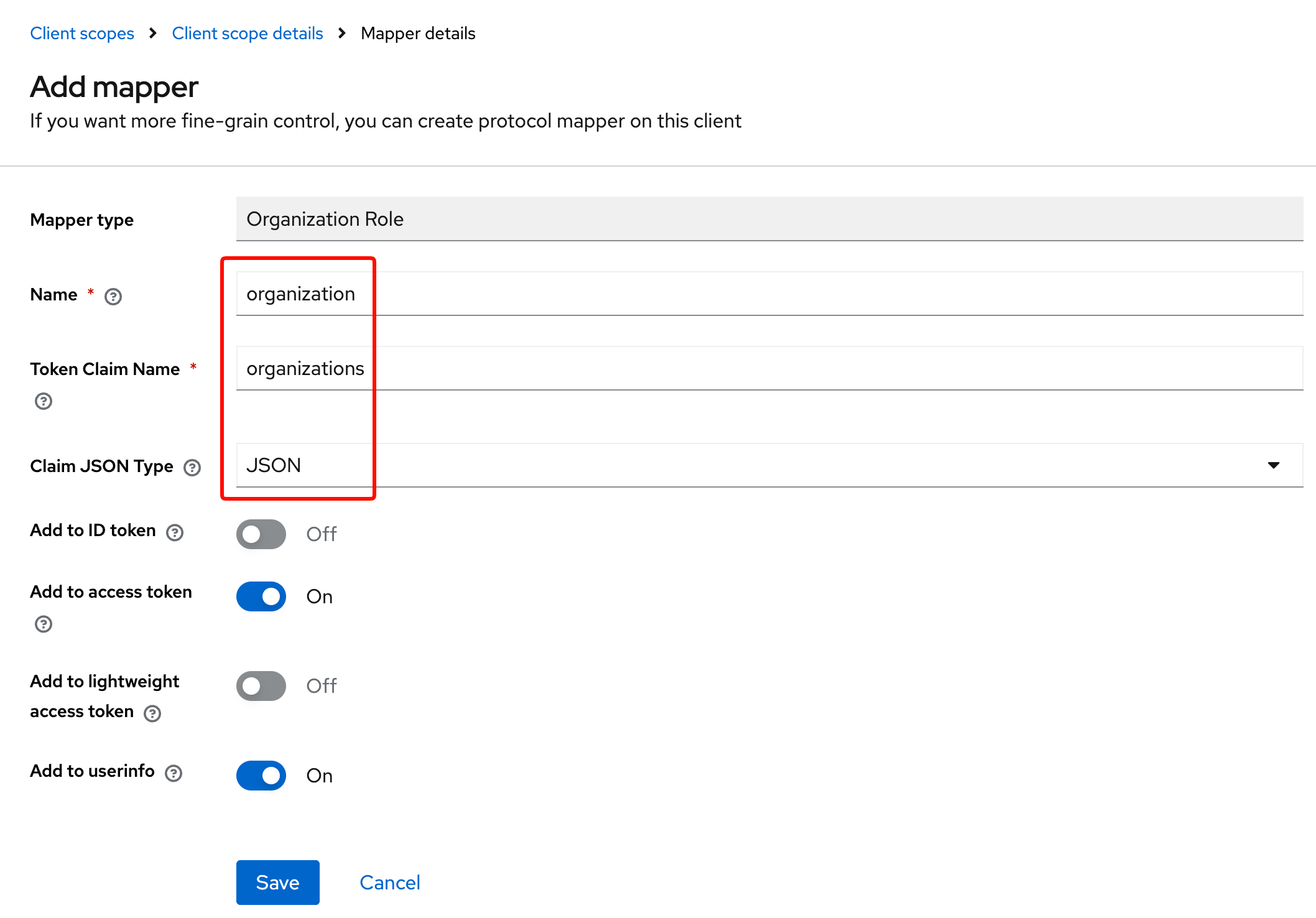
On the add mapper screen, adjust as needed.
3. Configure the mapper
By default, all properties are pre-configured. You can remove what you want and the mapper will adjust the claim.
Example with all pre-configured properties:
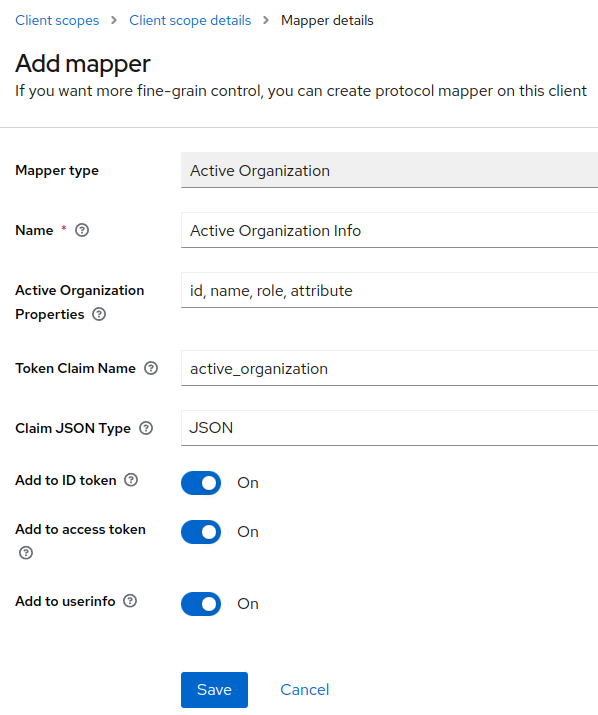
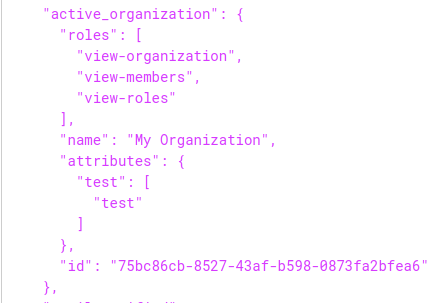
Will produce this claim in token:
  "active_organization": {
    "role": [
      "view-organization",
      "view-members",
      "view-roles"
    ],
    "name": "My Organization",
    "id": "75bc86cb-8527-43af-b598-0873fa2bfea6",
    "attribute": {
      "test": [
        "test"
      ]
    }
  },
Example with only id property:
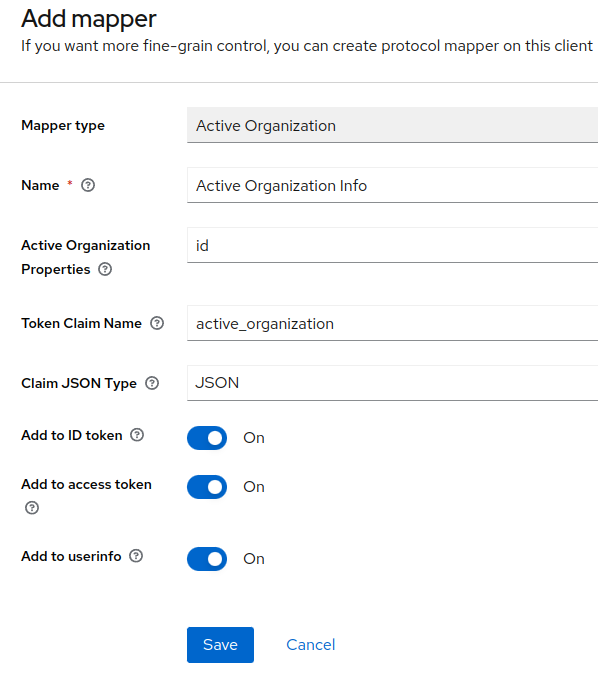
Will produce this claim in token:
  "active_organization": {
    "id": "75bc86cb-8527-43af-b598-0873fa2bfea6"
  },
4. Add new client scope to public client
On your public client (used by your FE application) add the newly created client scope.
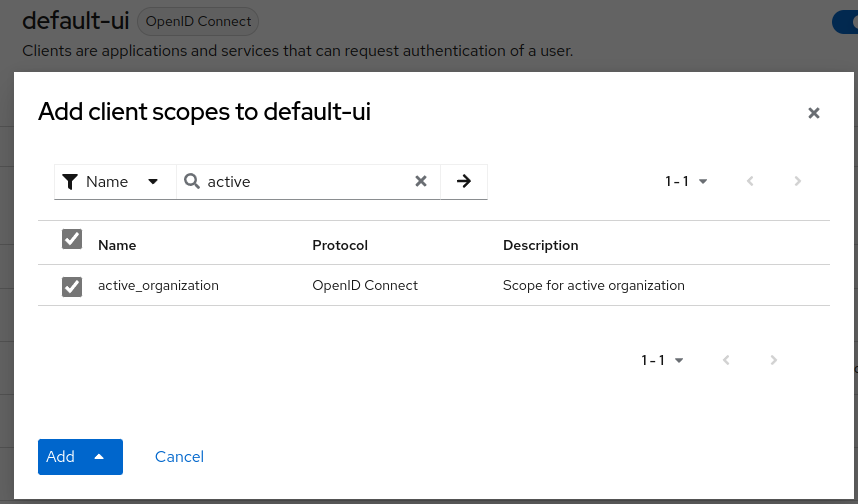
5. Token claims
Then, after authentication, you should have the active organization info into the token claims.